

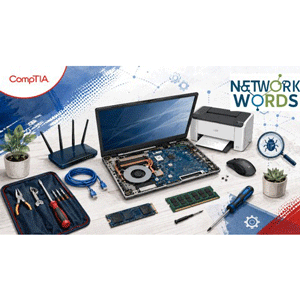
Description
CompTIA A+ Troubleshooting Masterclass: 220-1201 & 220-1202 is a troubleshooting scenarios course covering the latest CompTIA A+ Core 1 (220-1201) and Core 2 (220-1202) exams published by Udemy Online Academy. Designed for aspiring IT support technicians, help desk professionals, system administrators, and those preparing for the CompTIA A+ certification, this course focuses on developing practical problem-solving and troubleshooting skills in hardware, operating system, network, security, and software environments. Students will explore systematic troubleshooting methods, hardware diagnostics, Windows issues, connectivity issues, device failures, performance issues, security incidents, and common IT support scenarios.
This course focuses on structured troubleshooting methods, diagnostic tools, and technical knowledge used by help desk technicians, desktop support specialists, field service engineers, and IT support specialists. Troubleshooting is one of the most important skills for any IT professional. Knowing technical concepts is helpful, but successful technicians must also be able to identify symptoms, determine the most likely cause, test possible solutions, implement the correct solution, and verify that the problem has been fully resolved. Upon completion of the course, you should be able to approach technical problems logically and confidently. You will understand how to gather evidence, identify possible causes, use appropriate diagnostic tools, apply safe solutions, verify system performance, and document the outcome.
What you will learn in CompTIA A+ Troubleshooting Masterclass: 220-1201 & 220-1202:
- Apply a structured troubleshooting methodology to identify, diagnose, and resolve common computer problems
- Troubleshoot desktop and laptop hardware issues involving processors, memory, storage devices, power supplies, displays, and peripherals.
- Diagnose and resolve Windows operating system problems, including startup failures, slow performance, application errors, and system crashes.
- Identify and resolve common printer, mobile device, virtualization, and cloud-related support issues.
- and …
Course specifications
Publisher: Udemy
Instructors: networkwords.com |
Language: English
Level: Introductory to Advanced
Number of Lessons: 96
Duration: 12h 43m
Course topics

CompTIA A+ Troubleshooting Masterclass: 220-1201 & 220-1202 Prerequisites
No previous CompTIA certification or advanced IT experience is required. A basic understanding of computers, operating systems, and internet connectivity is helpful but not mandatory. Access to a Windows 10 or Windows 11 computer is recommended for practicing troubleshooting commands and tools. Learners should be comfortable performing basic computer tasks such as installing applications, managing files, and changing system settings.
Pictures

CompTIA A+ Troubleshooting Masterclass: 220-1201 & 220-1202 introduction video
Installation guide
After Extract, watch with your favorite Player.
Subtitle: None
Quality: 1080p
Downloadly link
Rapidgator link
File password (s): www.downloadly.ir
Size
5.2 GB