

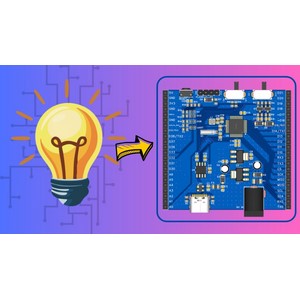
Description
Complete Electronics Course – From Idea to PCB and Prototype. This course teaches the complete workflow of embedded hardware development from initial idea and schematic design to PCB and prototype construction using a professional ECAD environment. This course examines practical approaches and techniques for embedded hardware development based on reality-based engineering standards. During this course, the audience will learn the complete hardware design workflow from defining system requirements to preparing production files for an electronic board step by step. In this training path, the complete project structure is carried out similar to the work processes of professional engineers in the industry so that concepts such as power budgeting, communication interfaces, mechanical constraints, and operating conditions are well understood. The training steps include detailed schematic design, Signal Integrity and Power Integrity management, PCB component placement, track width calculation, Differential Pair Routing, Ground Planes management, Design Rule Review (DRC) and finally outputting Gerber files and Bill of Materials (BOM). In addition, the course teaches how to read and analyze Datasheets, check the electrical parameters of active and passive components such as resistors, capacitors, inductors, MOSFETs and diodes, and how to source components from international vendors. Each lesson is accompanied by concise technical reference documents including formulas, applied theories and real-world examples so that students can acquire an engineering mindset for independent implementation of their future projects.
What you will learn
- Full-stack project development: Project implementation from initial idea and requirements to PCB prototype construction.
- Work with a professional ECAD environment: create schematic symbols, footprints, and complete project files.
- Schematic design from scratch: component placement, power rails, decoupling capacitors, and note management.
- PCB layering implementation: component placement strategy, track routing, land planes, DRC checking, and Gerber file output.
- Component selection and sourcing: Reading and interpreting datasheets, comparing key parameters, and purchasing components from suppliers.
- Adherence to design standards: Using best practices to ensure signal integrity, power, and electromagnetic compatibility (EMC) standards.
- Understanding the PCB manufacturing process: Understanding stackup, tolerances, surface coatings, and how to order from the manufacturer.
- Preparation of manufacturing documents: Preparation of complete bill of materials (BOM) and assembly documentation for production and prototype construction.
- Component Parameter Analysis: In-depth understanding of passive and active component parameters such as resistors, capacitors, inductors, MOSFETs, and diodes.
This course is suitable for people who:
- Electronics enthusiasts: People who have project ideas and want to learn how to turn them into a real product and physical prototype.
- Electrical and Electronics Engineering students: Those who wish to complement their theoretical knowledge with a practical and real-world workflow.
- Makers and Arduino or Raspberry Pi enthusiasts: People who want to take the next step and design their own custom PCB boards.
- Early-stage hardware product developers: Those who want to understand the full hardware development process before collaborating with a team or manufacturer.
- Freelancers and entrepreneurs: People who want to build an electronic prototype for their product idea and need a step-by-step guide.
Specifications of Complete Electronics Course – From Idea to PCB and Prototype
- Publisher: Udemy
- Instructor: Alex-Cosmin Anghelina
- Training level: Beginner to advanced
- Training duration: 4 hours and 58 minutes
Course syllabus in 2026/5
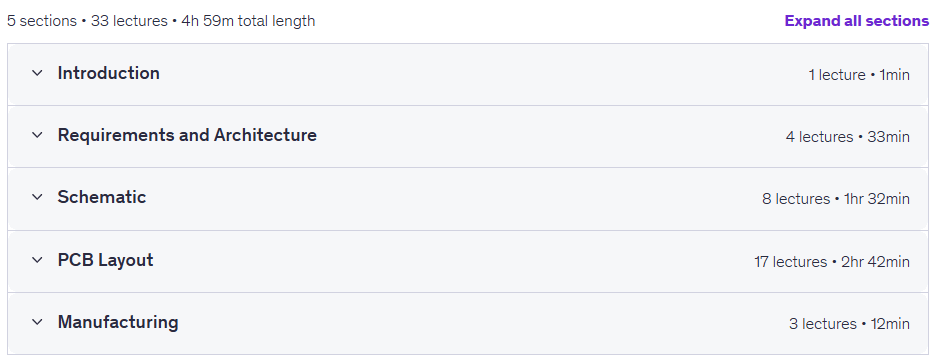
Complete Electronics Course – From Idea to PCB and Prototype Course Prerequisites
- Basic electronics knowledge
- Familiarity with basic electronic components: resistors, capacitors, and what a microcontroller is
- A computer with internet access to download and install the ECAD software used in the course (free version available)
- No prior PCB design or ECAD experience needed — all tools and techniques are taught from scratch in the course
- Curiosity and motivation to learn — every concept is explained step by step with practical examples
Course images
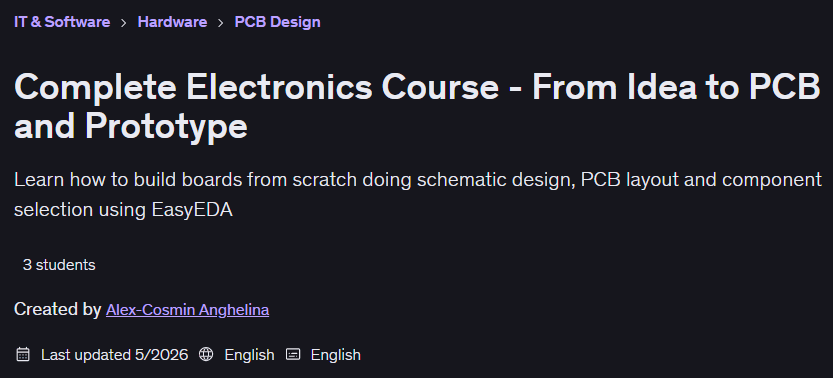
Sample course video
Installation Guide
After Extract, view with your favorite player.
Subtitles: None
Quality: 1080p
Download link
Rapidgator link
File(s) password: www.downloadly.ir
File size
6.3 GB