

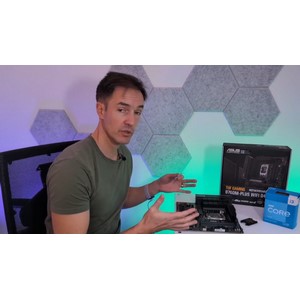
Description
Learn to Build a Computer (PC) in 2026 – all types!. This course covers how to select components, assemble, and set up a variety of personal computer systems, including gaming, work, and business systems. This highly practical and practical course introduces learners to how to build and assemble their own personal computer for various uses. In this course, individuals learn how to easily build their dream gaming computer, a system suitable for working from home, or an economical computer for everyday use. The training is provided by an expert and experienced computer builder who provides valuable tips on budget management and choosing the best components. No prior experience is required to enter this course, and the topics are designed to turn a complete beginner into a knowledgeable expert in the field of desktop computer hardware. Acquiring these valuable skills can not only help you build your own personal system, but also help you find a job in the world of IT and hardware. During this course, all the principles and basics of computer hardware are reviewed and the exact function of each component in the system is explained. Learners learn how to budget for the purchase of a new computer and allocate that budget to different components based on their specific needs (such as a gamer, employee, casual user, or engineer). They are also fully taught how to research the market, read the technical specifications of the components, and understand their concepts. In the practical part, the complete steps of assembling a computer are shown step by step and by the instructor while building a mid-range gaming system. In addition, how to install an operating system on a newly built computer without the need for a license key, the principles of debugging and troubleshooting possible problems during construction, as well as performing benchmark tests and stress tests to ensure the stability and proper functioning of the system under heavy workloads are fully taught.
What you will learn
- Understanding hardware components: Knowing all the components that make up a computer, their exact function, how to read product descriptions, and understanding technical specifications.
- Understanding computer types: Familiarity with the types of computer structures (gaming, work, economic) and how to select and adapt components to suit each user’s needs.
- Assembly and Setup: Learn how to assemble all the components inside the computer case, configure software, and run stress tests to measure system stability.
- Upgrading old systems: Learn how to install and replace new components to upgrade existing computers.
- Budgeting and Purchasing: How to determine the budget for building a computer and optimally allocate it to different components based on priorities.
- Operating System Installation and Troubleshooting: How to install an operating system on a new system, troubleshoot technical issues in the build process, and benchmark testing.
This course is suitable for people who:
- Computer building enthusiasts: Anyone who plans to build their own personal computer from scratch.
- Users who want to upgrade their system: People who want to upgrade their current computer components and improve its performance.
- Gamers and tech enthusiasts: Those looking to build gaming or specialized work systems with the best quality and most affordable price.
- Hardware beginners: All people who have no prior experience and want to strengthen their hardware knowledge from the ground up.
Course details Learn to Build a Computer (PC) in 2026 – all types!
- Publisher: Udemy
- Instructor: David Pedley
- Training level: Beginner to advanced
- Training duration: 6 hours and 3 minutes
- Number of lessons: 57
Course headings

Prerequisites for the Learn to Build a Computer (PC) in 2026 course – all types!
- No experience needed, you’ll learn everything you need to know from the basics up.
Course images

Sample course video
Installation Guide
After Extract, view with your favorite player.
Subtitles: None
Quality: 1080p
Download link
Rapidgator link
File(s) password: www.downloadly.ir
File size
6.9 GB