

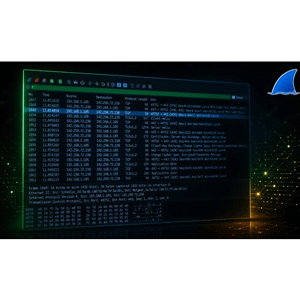
Description
Wireshark A-to-Z: Enterprise Network Troubleshooting is a course on how to use Wireshark to diagnose, analyze, and resolve complex enterprise network problems published by Udemy Online Academy. Suitable for network engineers, system administrators, IT support professionals, cybersecurity professionals, and aspiring network analysts, this course covers packet capture techniques, protocol analysis, filtering, traffic inspection, and systematic troubleshooting. Learners will explore TCP/IP, DNS, DHCP, HTTP, TLS behavior, routing and connectivity issues, latency, packet loss, retransmissions, and other common network performance issues.
Wireshark is the industry standard tool for network analysis, troubleshooting, and security monitoring. Whether you’re diagnosing slow connections, examining HTTP errors, decrypting SSL/TLS traffic, or searching for malware, this course will give you the practical skills employers need. This is not a “this is what a TCP packet looks like” course. Each lab is based on a real-world failure scenario—the kind of problem you’d actually get called in for at 2 a.m. This course is designed for working professionals who troubleshoot real networks. If you already know what TCP, DNS, and TLS are, this course will show you how to diagnose them at the packet level.
What you will learn in Wireshark A-to-Z: Enterprise Network Troubleshooting:
- Detect network attacks — ARP poisoning, port scanning, ICMP tunneling, DNS tunneling, and malware C2 beaconing from packet captures.
- Troubleshoot IPSec VPN — IKEv1 Phase 1 negotiation, proposal mismatch failures, Dead Peer Detection, and SA rekeying analysis.
- Analyze TLS/SSL handshakes, decrypt HTTPS traffic using SSLKEYLOGFILE, and identify certificate and cipher suite failures.
- Expose cleartext passwords transmitted over HTTP Basic Auth, FTP, Telnet, and POP3 using Wireshark packet inspection.
- Use Wireshark as a forensic tool — recover files from network traffic, export reports, and perform GeoIP mapping of IP addresses.
- Integrate AI into your Wireshark workflow to accelerate PCAP analysis, identify root causes faster, and use the PCAP Analysis Playbook.
- and …
Course specifications
Publisher: Udemy
Instructors: CyberBruhArmy .
Language: English
Level: Introductory to Advanced
Number of Lessons: 39
Duration: 9h 21m
Course topics

Wireshark A-to-Z: Enterprise Network Troubleshooting Prerequisites
Basic TCP/IP knowledge — you should know what IP addresses, TCP, and DNS are. No Wireshark experience needed.
A Windows, macOS, or Linux computer that can run Wireshark (free download). Any version 3.x or 4.x works perfectly.
No programming, scripting, or networking certification required — all PCAP lab files are included free with the course.
Pictures
Wireshark A-to-Z: Enterprise Network Troubleshooting introduction video
Installation guide
After Extract, watch with your favorite Player.
Subtitle: None
Quality: 2160p
Downloadly link
Rapidgator link
File password (s): www.downloadly.ir
Size
11.4 GB