


Description
AI Browser Agents with Python & Playwright is a course on building intelligent browser automation agents published by Udemy Online Academy. This valuable course is a hands-on, project-based program that focuses on building intelligent browser automation agents that can understand tasks, navigate websites, interact with web pages, and execute multi-step workflows using Python and Playwright. Instead of just chatting with an AI model, you’ll learn how to build agents that can open a browser, read web pages, click buttons, type into forms, extract data, and complete multi-step workflows. Designed for Python developers, AI engineers, automation professionals, and software engineers, this course combines modern browser automation with AI-powered decision-making to create more flexible and capable web agents.
Individuals will explore Playwright, browser control, page navigation, element interaction, forms, data extraction, authentication, asynchronous automation, and AI agent workflows while learning how to connect browser actions with LLM-based reasoning. You will start with the basics of browser automation, including how web pages are structured, how DOM selectors work, how to interact with buttons and forms, and how to extract useful information from websites. No prior experience with Playwright, browser agents, Streamlit, Docker, or AWS is required. We will build the project from the ground up, step by step. By the end, you will have a complete project that you can showcase in your portfolio, extend for your own workflows, and use as a foundation for building more advanced AI automation systems.
What you will learn in AI Browser Agents with Python & Playwright:
- Use Python and Playwright to control a real browser and automate common web workflows
- Connect LLMs to browser automation so an AI agent can understand user instructions, plan actions, and make decisions during a workflow
- Extract structured data from websites and save results into clean formats such as tables and CSV files
- Build practical approval-based workflows where AI assists with form filling but keeps a human in the loop before final submission
- Create a Streamlit user interface for uploading files, running browser agents, reviewing results, and tracking status
- Understand safety, ethics, and limitations of browser AI agents, including CAPTCHA handling, prompt injection, and responsible automation
- Deploy an agentic browser automation project using Docker and AWS services such as S3, SQS, Lambda, DynamoDB, and Lightsail Containers
- and …
Course specifications
Publisher: Udemy
Instructors: Arjun Vaid and School of AI
Language: English
Level: Introductory to Advanced
Number of Lessons: 16
Duration: 4 hours and 1 minute
Course topics on 2026/7
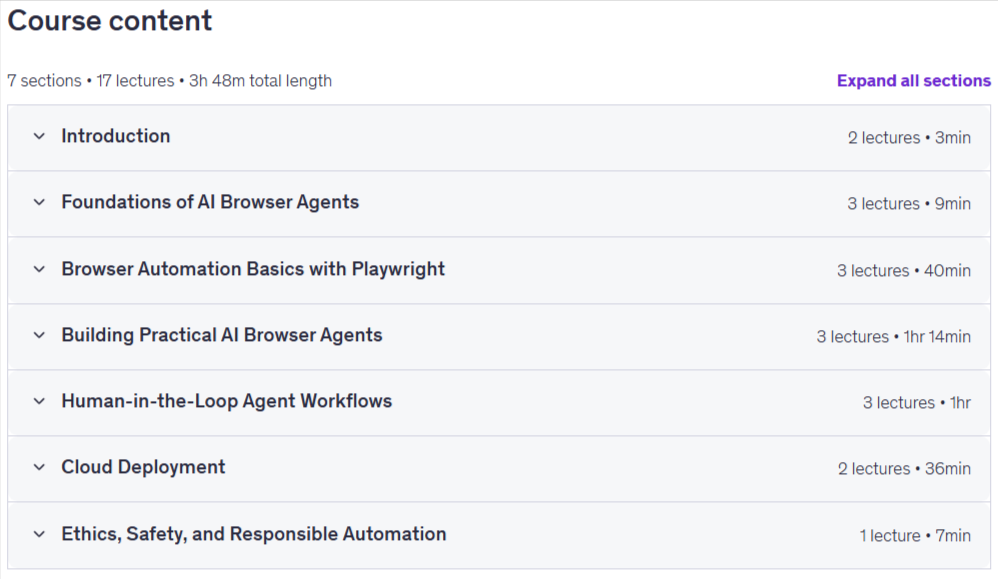
AI Browser Agents with Python & Playwright Prerequisites
No prior experience with browser automation is required
No prior experience with Playwright is required
No prior experience with AI agents is required
No advanced AI or machine learning background is required
Basic Python knowledge is helpful, but we will explain the code step by step
Basic understanding of websites, buttons, forms, and web pages is helpful
A code editor such as Visual Studio Code is recommended
An AWS account is optional and only needed for the deployment section
Everything will be built from scratch, step by step, including Python setup, Playwright basics, AI agent logic, UI, Docker, and deployment
An OpenAI API key or access to another LLM provider is recommended for the AI agent examples
Pictures
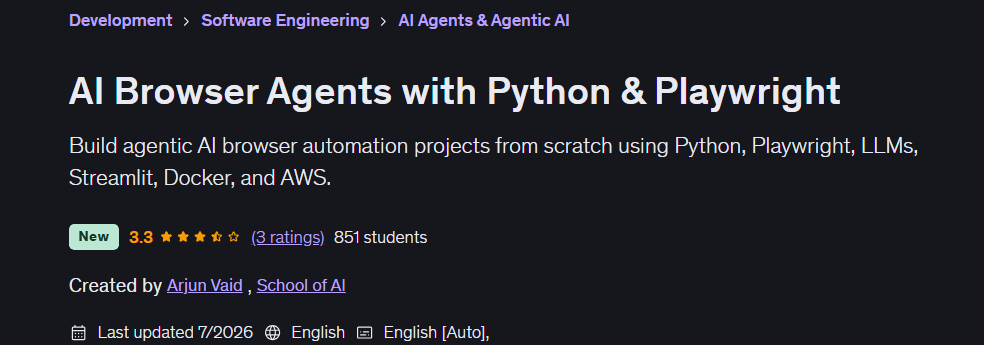
AI Browser Agents with Python & Playwright introduction video
Installation guide
After Extract, watch with your favorite Player.
Subtitle: None
Quality: 1080p
Downloadly link
Rapidgator link
File password (s): www.downloadly.ir
Size
2.9 GB