

Descriptions
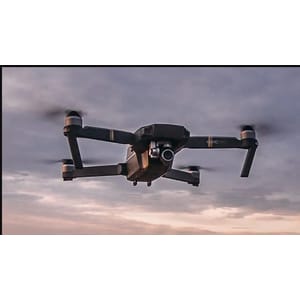
Drone Programming with Python : Using PySimverse Simulator, Have you ever wanted to control a drone using nothing but Python and Artificial Intelligence? Imagine flying a drone with your keyboard, your hand gestures, or even your body movements—all powered by computer vision. In this course, that’s exactly what you’re going to learn. We’ll use the PySimVars simulator, which allows you to safely practice drone programming without risking an expensive real drone. It’s the perfect environment to learn, experiment, and build confidence before flying real hardware. Starting from the basics, you’ll learn 3D drone movement, RC commands, keyboard control, takeoff and landing, and continuous flight. Then we’ll connect to the drone’s live camera feed and process video in real time using OpenCV.
But that’s just the beginning. You’ll build AI-powered drone control systems using MediaPipe Task API, where your hand gestures become flight commands. Then we’ll take it even further by controlling the drone with full-body pose detection, allowing your body movements to guide the drone naturally. Finally, you’ll learn how to make the drone automatically follow a predefined path, giving you a solid introduction to autonomous drone programming. Whether you’re a Python developer, a computer vision enthusiast, a robotics student, or simply curious about drone technology, this course is designed to provide practical, project-based learning from start to finish. So if you’re ready to combine Python, OpenCV, MediaPipe, Artificial Intelligence, and drone programming into exciting real-world projects, join me in this course. Let’s start building intelligent drone applications together.
What you’ll learn
- Understand the fundamentals of drone programming using Python in the PySimVars simulation environment.
- Control a drone using RC commands, including takeoff, landing, hovering, and 3D movement.
- Build keyboard-based drone control applications for real-time navigation.
- Receive and process live video streams from the drone using OpenCV.
- Develop AI-powered drone control systems using MediaPipe Task API and OpenCV.
- Control a drone using real-time hand gesture recognition and computer vision.
- Navigate a drone using full-body pose detection and body tracking techniques.
- Program a drone to follow predefined paths and understand the fundamentals of autonomous drone navigation.
Who this course is for
- Developers who want to build a strong foundation in intelligent drone programming before transitioning to physical drone hardware.
- Python programmers who want to explore drone programming and robotics.
- Students and professionals interested in computer vision, artificial intelligence, and autonomous systems.
- Beginners who want to learn drone programming in a safe simulation environment before working with real drones.
- OpenCV and MediaPipe developers looking to apply their computer vision skills to real-world drone applications.
- Robotics, engineering, and computer science students who want hands-on experience with AI-powered drone control.
- Anyone interested in controlling drones using keyboard input, hand gestures, body pose tracking, and computer vision.
Specificatoin of Drone Programming with Python : Using PySimverse Simulator
- Publisher : Udemy
- Teacher : Jayanta Sarkar
- Language : English
- Level : All Levels
- Number of Course : 26
- Duration : 3 hours and 23 minutes
Content of Drone Programming with Python : Using PySimverse Simulator

Requirements
- No physical drone is required. All projects are built and tested using the PySimVars simulator, making the course accessible to everyone.
- Basic knowledge of Python programming, including variables, functions, loops, and conditional statements.
- computer running Windows, macOS, with permission to install Python and required libraries.
- No prior drone programming experience is required everything related to drone control will be taught step by step.
- A webcam is recommended for the hand gesture and body pose tracking projects.
- A willingness to learn Python, computer vision, and artificial intelligence through hands-on projects.
Pictures

Sample Clip
Installation Guide
Extract the files and watch with your favorite player
Subtitle : Not Available
Quality: 1080p
Download Links
Password file(s): www.downloadly.ir
File size
2.27 GB