

Description
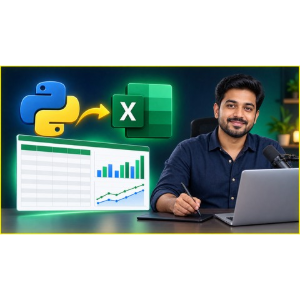
“Excel Automation with Python: OpenPyXL for Excel” is a training course published by the online academy Udemy. This course introduces essential techniques for working with Excel files using Python, helping you reduce repetitive manual tasks and boost your productivity. You will discover how to read and write worksheet data, modify cell values, apply formatting, manage rows and columns, work with multiple worksheets, and automatically generate Excel reports. You will also learn how Python can streamline data processing, update existing Excel files, and handle routine spreadsheet operations more efficiently. You will grasp the fundamentals of Excel automation using Python and OpenPyXL, including how to install the library and configure your Python environment. You will learn to read, create, and modify Excel files programmatically, as well as access and update cell values, rows, columns, and worksheets. Furthermore, you will learn to apply cell formatting—such as styles, fonts, colors, and number formats—while managing multiple worksheets and Excel file structures.
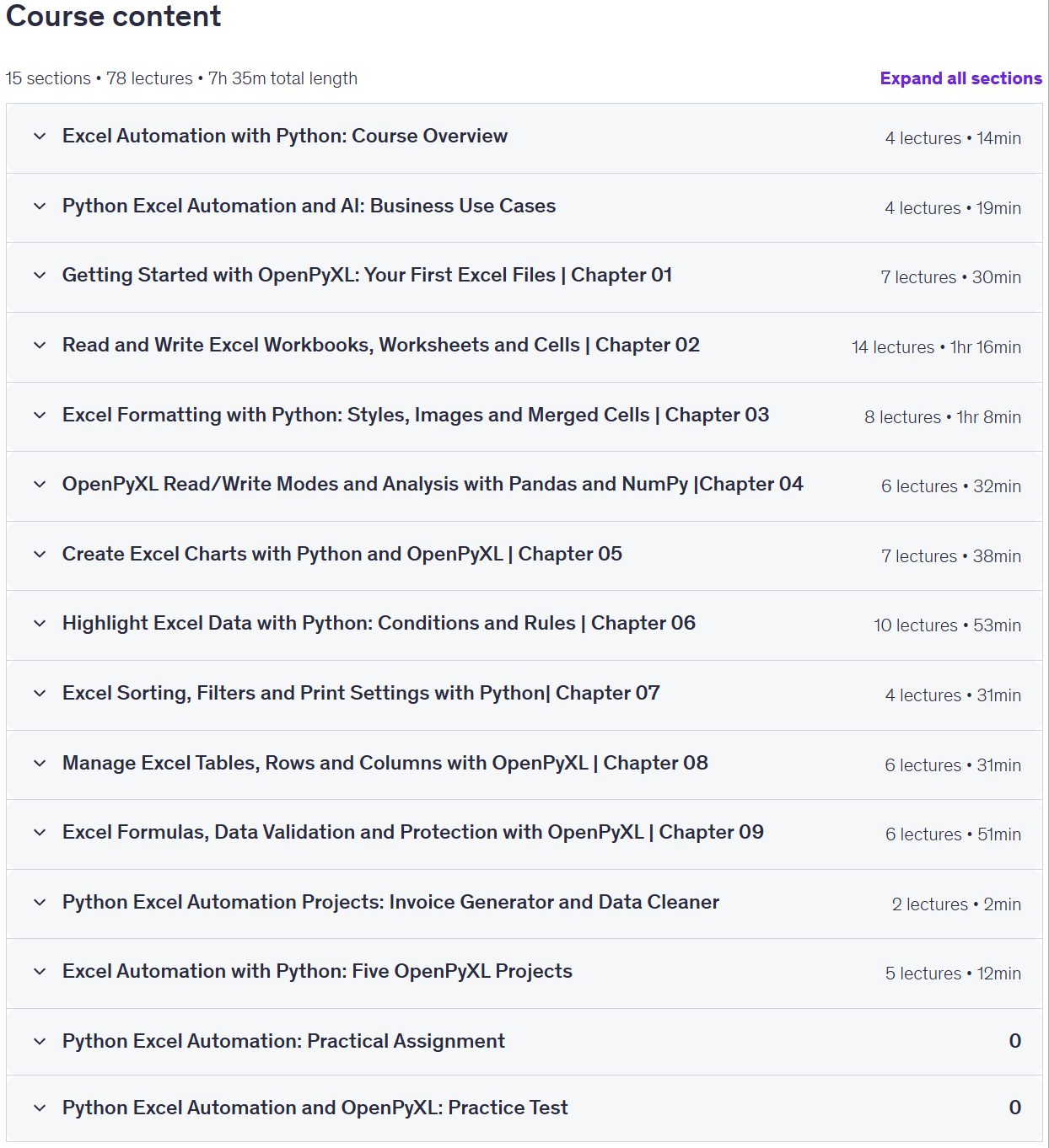
You will automate repetitive spreadsheet tasks and data processing workflows, generate Excel reports, and automatically update existing files. Additionally, you will learn to create Excel charts using Python, including column, bar, line, area, and bubble charts. You will perform preliminary Excel data analysis using Pandas and NumPy, calculate sums and averages, and export your results. You will organize Excel outputs by utilizing tables, data highlighting, print settings, and appropriate read/write modes. You will configure Excel print settings for optimal results, filter and sort data for better analysis, work with tables, and implement data validation within cells. You will use formulas to perform calculations in Excel and secure your Excel files using the `openpyxl` library. Whether you are a data analyst, an administrative professional, a student, or a Python developer, this course will help you develop practical automation skills and build workflows that make Excel data management faster, more streamlined, and easier to maintain.
What you will learn in Excel Automation with Python: OpenPyXL for Excel:
- Automate Excel tasks with Python and OpenPyXL by creating, opening, updating and saving workbooks.
- Read and write Excel data across cells, rows, columns and multiple worksheets.
- Automate Excel formatting with fonts, borders, alignment, colors, images and merged cells.
- Create Excel charts with Python, including column, bar, line, area and bubble charts.
- Perform introductory Excel data analysis with Pandas and NumPy, calculating totals and averages and exporting results.
- Organize Excel outputs using tables, data highlighting, print settings and appropriate read/write modes.
- Configure print settings in Excel for better printing results.
- Filter and sort data in Excel for better data analysis.
- Work with tables and apply data validation in cells.
- Use formulas to perform calculations in Excel.
- Protect and secure Excel workbooks using openpyxl.
- Data Validation with Excel using Openpyxl
- and …
Course specifications
Publisher: Udemy
Instructors: Faisal Zamir, Jafri Code and Pro Python Support
Language: English
Level: Introductory to Advanced
Number of Lessons: _
Duration: 7 hours and 55 minutes
Course topics on 2026/9
Excel Automation with Python: OpenPyXL for Excel Prerequisites
You should have basic knowledge of MS Excel
You should have basic knowledge python with beginner level experince
You did not need to buy extra software or course
No previous OpenPyXL experience required.
Pictures
Excel Automation with Python: OpenPyXL for Excel introduction video
Installation guide
After Extract, watch with your favorite Player.
Subtitle: None
Quality: 1080p
Downloadly link
Rapidgator link
File password (s): www.downloadly.ir
Size
3.8 GB