


Descriptions
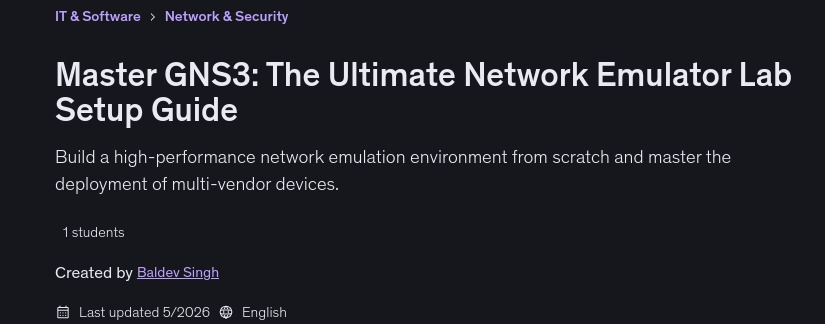
Master GNS3: The Ultimate Network Emulator Lab Setup Guide, Build a high-performance network emulation environment from scratch and master the deployment of multi-vendor devices.
What you’ll learn
- Core Infrastructure: Install and optimize VMware Workstation as the backbone of your virtualization environment.
- Emulation Mastery: Complete setup of GNS3 (v2.2.59), including the critical Windows Client Packs for seamless console access.
- Multi-Vendor Integration: Learn the ‘pro way’ to upload and configure images from every major networking player.
- V2V Conversion: Learn to use StarWind Converter to adapt disk images for your virtual lab.
Who this course is for
- Network Engineers looking to simulate real-world outages and configurations.
- Security Professionals needing a safe environment to test firewall policies (Cisco, Checkpoint, Palo Alto, Fortinet,).
- Certification Candidates (CCNA, CCNP, CCIE, PCNSA, JNCIA, CCSA, CCSE, FCP) who need a robust lab.
- IT Students who want to bridge the gap between theory and hands-on practice.
- Firewall Engineers want to do POC on multi-vendor products.
Specificatoin of Master GNS3: The Ultimate Network Emulator Lab Setup Guide
- Publisher : Udemy
- Teacher : Baldev Singh
- Language : English
- Level : All Levels
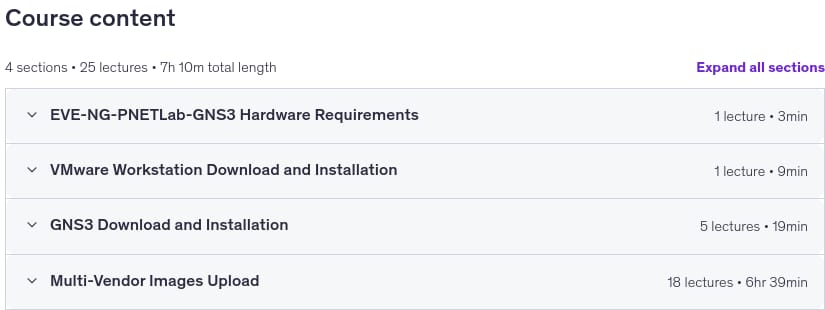
- Number of Course : 25
- Duration : 7 hours and 10 minutes
Content of Master GNS3: The Ultimate Network Emulator Lab Setup Guide
Requirements
- A PC/Laptop with a minimum of 8GB RAM (16GB+ recommended).
- Intel VT-x or AMD-V enabled in BIOS.
- A hunger to build and break networks!
Pictures
Sample Clip
Installation Guide
Extract the files and watch with your favorite player
Subtitle : Not Available
Quality: 1080p
Download Links
Password file(s): www.downloadly.ir
File size
4.21 GB