


Description
Windows 11 Training for IT Professionals is a course on deploying, managing, securing, and troubleshooting Windows 11 in enterprise environments published by Udemy Online Academy. Designed for IT administrators, help desk technicians, systems engineers, and support professionals, this course covers the essential skills needed to effectively manage Windows 11 devices. Learners will learn about installing and configuring Windows 11, user and device management, security features, group policy, Microsoft Entra ID and Active Directory integration, networking, storage management, updates, performance optimization, and troubleshooting techniques.
This course provides a complete hands-on guide to Windows 11, starting with system installation and configuration and moving on to advanced features such as device management, networking, security, virtualization, and developer tools. Windows 11 is a modern operating system used in enterprises, IT environments, and professional workstations. Understanding how to configure, manage, and troubleshoot Windows 11 is an essential skill for IT support professionals, system administrators, and technology professionals.
What you will learn in Windows 11 Training for IT Professionals:
- Install and configure Windows 11 on physical machines and virtual environments
- Understand Windows 11 editions (Home, Pro, Enterprise) and licensing differences
- Create and manage local users, groups, and desktop environments
- Perform file management, storage management, and system cleanup
- Configure network settings, proxy servers, and cloud storage integration
- Troubleshoot performance issues, system errors, and blue screen of death (BSOD) issues
- Enable and use Windows Subsystem for Linux (WSL) and Hyper-V virtualization
- And…
Course specifications
Publisher: Udemy
Instructors: Jobskillshare Community
Language: English
Level: Introductory
Number of Lessons: 61
Duration: 9 hours and 47 minutes
Course topics
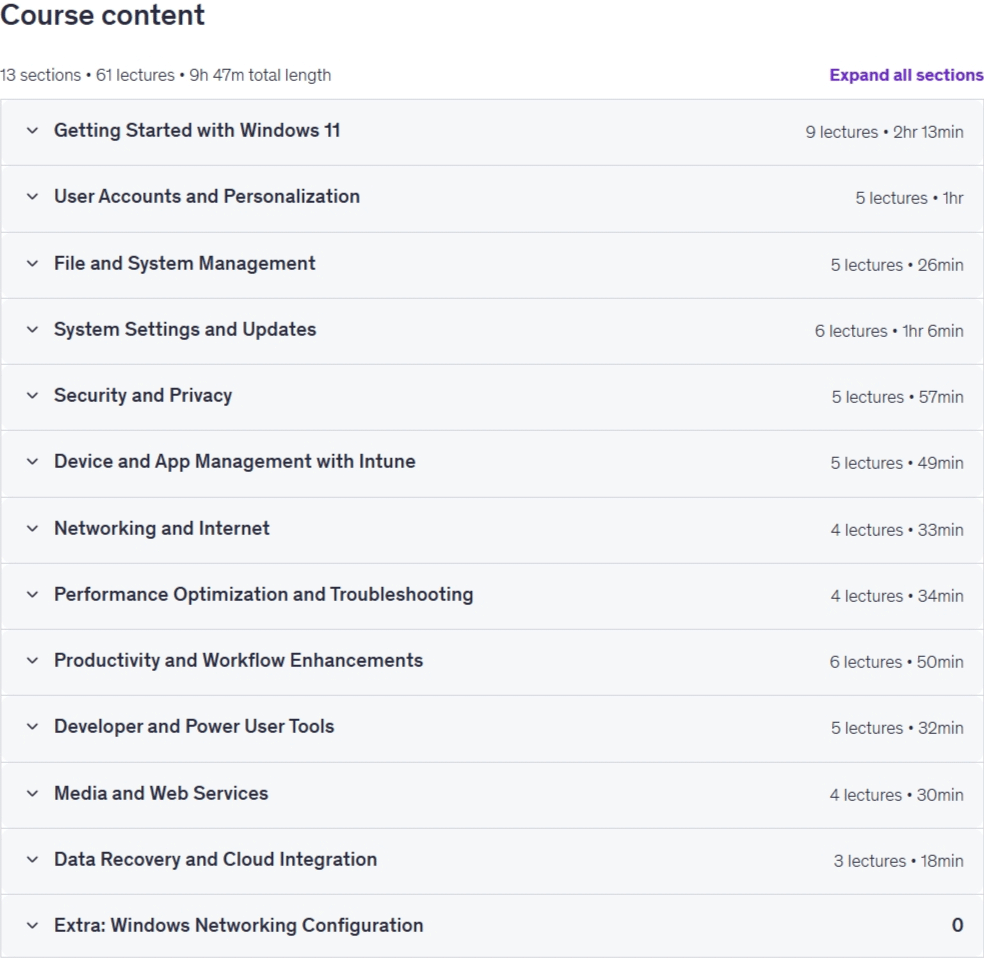
Windows 11 Training for IT Professionals Prerequisites
Basic computer knowledge (using files, folders, and applications)
Willingness to practice system settings and administrative tasks
Pictures

Windows 11 Training for IT Professionals introduction video
Installation guide
After Extract, watch with your favorite Player.
Subtitle: None
Quality: 1080p
Downloadly link
Rapidgator link
File password (s): www.downloadly.ir
Size
7.1 GB