


Descriptions
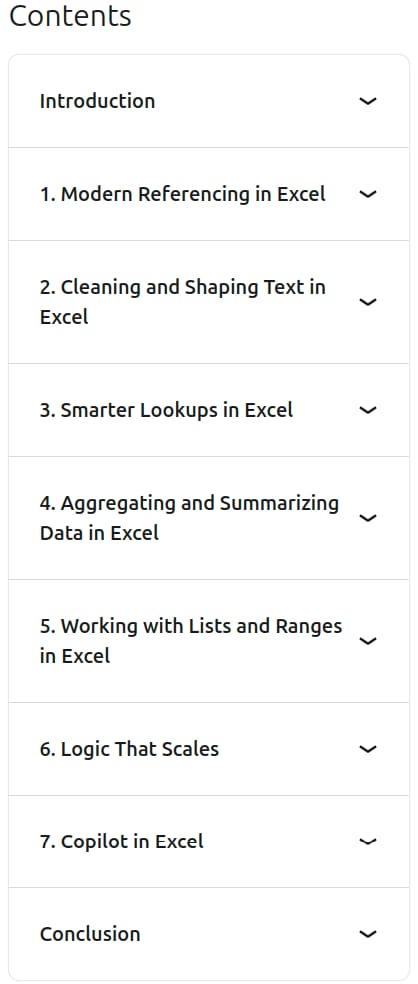
Excel Formulas and Functions Quick Tips, Upgrade and modernize your everyday Excel skills with modern formulas, dynamic arrays, smarter lookups, scalable logic, and practical Copilot workflows for cleaning, analyzing, and summarizing workplace data. Led by Excel expert and Microsoft MVP Leila Gharani, this course explores modern formula techniques, including absolute references, spill formulas, dynamic ranges, and table references. You will learn to clean and reshape text using functions such as CONCAT, TEXTJOIN, TEXT, LEFT, RIGHT, MID, TEXTBEFORE, TEXTAFTER, TEXTSPLIT, TRIM, and SUBSTITUTE, as well as retrieve and filter information with XLOOKUP, FILTER, and CHOOSECOLS.
The course also covers summarizing and aggregating data with COUNTIFS, SUMIFS, GROUPBY, and PIVOTBY; working with lists and ranges using UNIQUE, SORT, TAKE, TOCOL, and VSTACK; and building scalable logic with LEN, nested IF, AND, OR, EOMONTH, TODAY, and LET. You will also practice using Copilot in Excel to write and explain formulas. Through practical exercises, you will develop techniques for creating dynamic summaries and Top-N lists, improving data accuracy, reducing errors, and working more efficiently with transactions, data exports, and recurring operational reports.
What you’ll learn
- Use modern Excel formulas, dynamic arrays, and spill formulas to build more flexible worksheets.
- Work with absolute references, dynamic ranges, and table references.
- Clean, combine, extract, split, and format text using modern Excel text functions.
- Retrieve and filter data using XLOOKUP, FILTER, and CHOOSECOLS, including lookups with multiple criteria.
- Count and sum values that meet one or more criteria using COUNTIFS and SUMIFS.
- Summarize and aggregate data with GROUPBY and PIVOTBY.
- Create and reorganize lists and ranges using UNIQUE, SORT, TAKE, TOCOL, and VSTACK.
- Build scalable formulas using nested IF, AND, OR, LEN, EOMONTH, TODAY, and LET.
- Use Copilot in Excel to draft formulas and explain how formulas work.
- Create dynamic summaries and Top-N lists while improving data accuracy and reducing formula errors.
Who this course is for
- Business professionals who regularly work with data, reports, and spreadsheets.
- Data analysts who want to improve their Excel data-cleaning, lookup, and analysis workflows.
- Managers who prepare and review operational reports and summaries.
- Excel users who want to modernize their formula and function skills.
- Professionals interested in using Copilot in Excel to create and understand formulas more efficiently.
Specificatoin of Excel Formulas and Functions Quick Tips
- Publisher : Linkedin
- Teacher : Leila Gharani
- Language : English
- Level : All Levels
- Duration : 1 hours and 5 minutes
Content of Excel Formulas and Functions Quick Tips
Pictures

Sample Clip
Installation Guide
Extract the files and watch with your favorite player
Subtitle : English
Quality: 720p
Download Links
Password file(s): www.downloadly.ir
File size
368 MB