

Descriptions
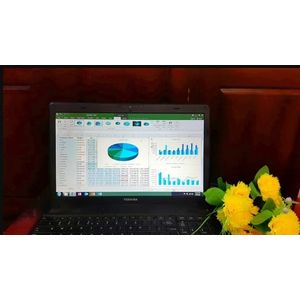
Advanced Microsoft Excel Formulas & Functions – 2026, Excel formulas and functions play an important role in everyday work, especially in business environments where data must be analyzed and meaningful information presented to managers to support decision-making. They are essential for manipulating data and extracting useful information from Excel workbooks. Without formulas and functions, making informed decisions can be difficult. This course, Advanced Microsoft Excel Formulas & Functions, covers popular advanced Excel formulas and functions through 6 chapters, each supported by practical Excel workbooks and real-world examples. It includes advanced Excel formulas, mastery of Excel functions, advanced Microsoft Excel techniques, formulas for professionals and business use, advanced data analysis, formula optimization, data manipulation, and useful tips and tricks. The curriculum is designed by an experienced Microsoft Excel professional and includes 17 downloadable examples and practice exercises, as well as a verifiable certificate upon completion. The course is intended to help learners strengthen their Excel skills in a relatively short time and become more confident and capable Excel users.
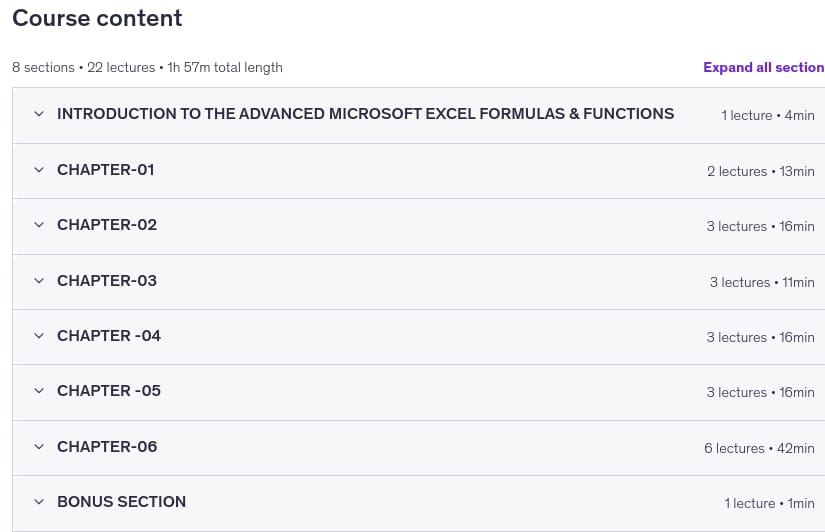
Chapter 1 covers absolute and relative references, mixed references, and creating multiplication tables using mixed references. Chapter 2 explains how to add leading zeros, generate automatic serial numbers, and use the CONVERT function. Chapter 3 introduces the WORKDAY, WORKDAYINTL, RAND, and RANDBETWEEN functions. Chapter 4 covers AUTOSUM, VLOOKUP, and HLOOKUP, including managing stock and inventory with HLOOKUP. Chapter 5 explains CHOOSE, TRANSPOSE, and RANK. Chapter 6 focuses on COUNTBLANK, combining INDEX and MATCH, converting numbers to words, and creating data-entry forms in Excel. Throughout the course, learners explore advanced Excel formulas and functions, complex and dynamic formulas, spreadsheet data tools, advanced Excel features and techniques, and practical problem-solving for professional and business tasks. The course also addresses common learning questions, such as how to use Excel formulas and functions, how to learn advanced formulas, and how to apply Excel functions in practical situations. It provides guidance for building basic and advanced formulas and developing a strong skill set in Microsoft Excel.
What you’ll learn
- What are the differences among relative, absolute, and mixed references
- How do you use relative, absolute, and mixed references
- How do you create a multiplication table using mixed references
- How do you add leading zeros in Microsoft Excel
- How do you generate automatic serial numbers in Microsoft Excel
- How do you use the CONVERT function
- How do you use the WORKDAY and WORKDAY.INTL functions
- How do you use the RAND function
- How do you use the RANDBETWEEN function
- How do you use the AUTOSUM function
- How do you use the VLOOKUP function
- How do you use the HLOOKUP function
- How do you manage stock and inventory using the HLOOKUP function
Who this course is for
- Inexperienced and experienced Excel users who do not feel confident using advanced Microsoft Excel formulas and functions.
- Anyone who uses Excel for work or personal needs, including sales managers, students, individuals, accountants, auditors, financial analysts, and information clerks.
- Anyone who works with Excel to enter data, extract data, manage lists, and use formulas and functions.
Specificatoin of Advanced Microsoft Excel Formulas & Functions – 2026
- Publisher : Udemy
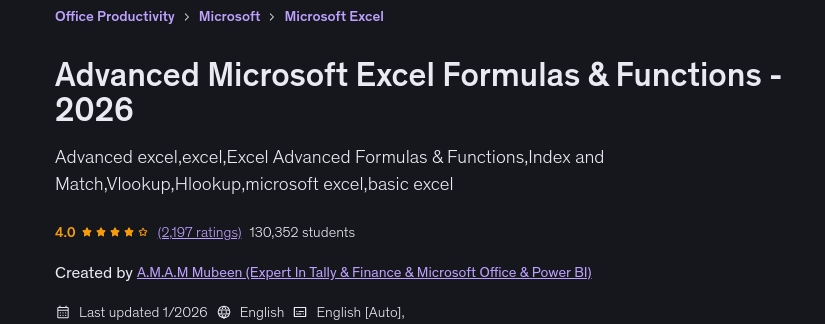
- Teacher : A.M.A.M Mubeen (Expert In Tally & Finance & Microsoft Office & Power BI)
- Language : English
- Level : All Levels
- Duration : 1 hours and 57 minutes
Content of Advanced Microsoft Excel Formulas & Functions – 2026
Requirements
- Microsoft Office Software Installed
- No prior Excel knowledge is needed.
Pictures
Sample Clip
Installation Guide
Extract the files and watch with your favorite player
Subtitle : Not Available
Quality: 720p
Download Links
Password file(s): www.downloadly.ir
File size
1.01 GB