

Description
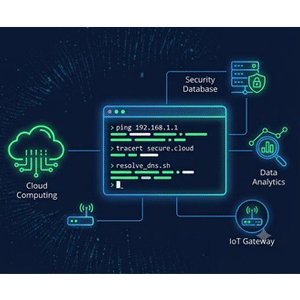
Networking & System Commands: Windows IT Support Masterclass is a course that develops strong troubleshooting and system administration skills, published by Udemy Online Academy. This program focuses on essential Windows networking concepts and command-line tools used to diagnose, configure, monitor, and resolve common IT problems. This course teaches you the precise command-line tools that IT support technicians, help desk representatives, and network administrators use every day to diagnose connectivity issues, manage IP configuration, and keep Windows systems running smoothly. Learners will work with Windows networking commands, IP configuration, DNS, connectivity testing, user and system management, processes, services, disks, permissions, and system diagnostics.
Whether you’re studying for an IT support role, preparing for certifications like CompTIA A+ or Network+, or are a system administrator who wants to work faster at the command line than clicking through menus, this course will give you practical, job-ready skills in hours, not weeks. By the end of this course, you will be able to diagnose and resolve common network and system issues in Windows using nothing but the command line – a skill that will instantly set you apart in any IT role.
What you will learn in Networking & System Commands: Windows IT Support Masterclass:
- Test and troubleshoot network connectivity using Ping
- View, release, and renew IP addresses using IPConfig
- Diagnose DNS issues using NSLookup and manage the DNS cache
- Trace network paths and pinpoint connection failures with Tracert
- View active connections and manage routing tables
- Configure network interfaces and firewall rules using Netsh
- Repair corrupted Windows system files using SFC and DISM
- Generate detailed power and battery usage reports
- Check and repair disk errors using CheckDisk
- View complete system configuration information from the command line
- and …
Course specifications
Publisher: Udemy
Instructors: Fettah Ben
Language: English
Level: Introductory to Advanced
Number of Lessons: 25
Duration: 2h 15m
Course topics

Networking & System Commands: Windows IT Support Masterclass Prerequisites
A Windows computer (Windows 10 or 11 recommended) to follow along
No prior command-line experience required — we start from the basics of each command
Basic computer literacy (opening applications, navigating folders)
Pictures
Networking & System Commands: Windows IT Support Masterclass introduction video
Installation guide
After Extract, watch with your favorite Player.
English subtitle
Quality: 1080p
Downloadly link
Rapidgator link
File password (s): www.downloadly.ir
Size
1.6 GB