

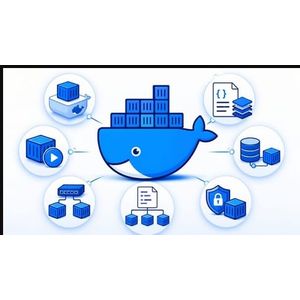
Descriptions
Docker & Containers for Network Engineers, Whether you’ve never heard of a container before or you’ve run a few Docker commands without really understanding what’s happening under the hood, this course takes you from the very beginning to deploying a full stack of real-world services.
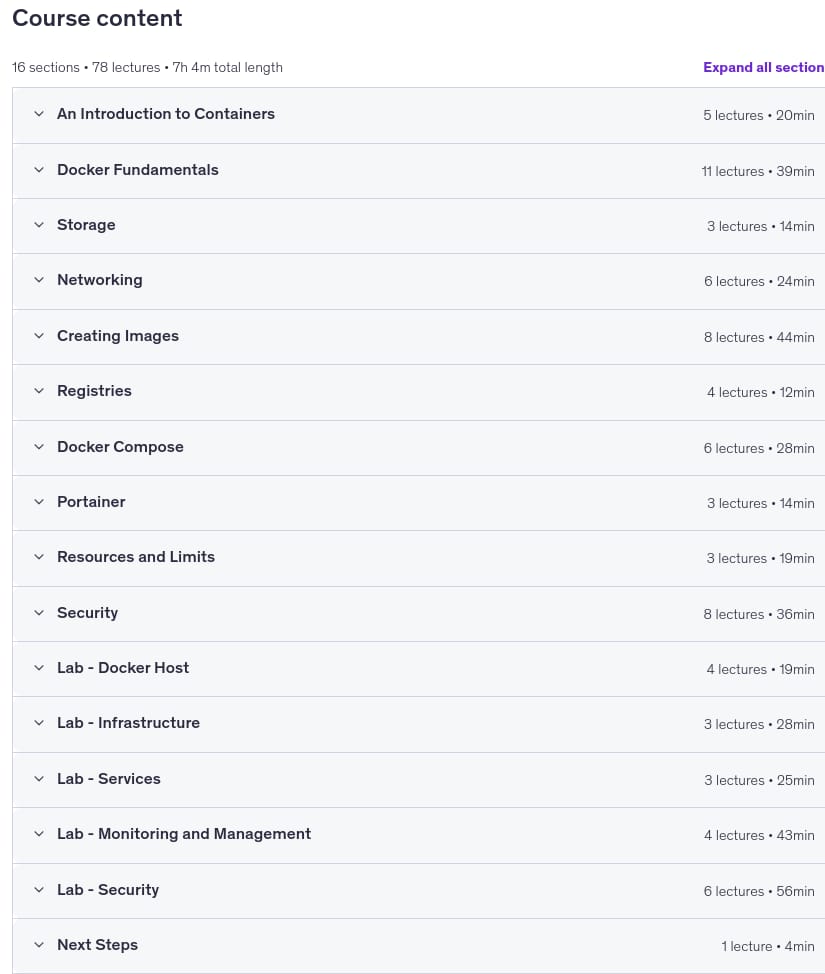
You’ll start with the fundamentals — what containers are, how they compare to virtual machines, and how Docker works under the hood. From there, you’ll work through every major building block: storage, networking, custom image creation, registries, Docker Compose, and more. Every concept is reinforced with hands-on labs, so you’re not just watching — you’re building.
By the end of the course, you won’t just understand Docker in theory. You’ll have deployed a working stack of real services including a DNS server with PiHole, uptime monitoring, cloud storage with Nextcloud, network monitoring, infrastructure documentation with NetBox, and full observability with Prometheus and Grafana. You’ll secure everything with a Traefik reverse proxy, a password manager with VaultWarden, and a WireGuard VPN.
Topics covered include containers and Docker fundamentals, running and managing containers and images, persistent storage with volumes and bind mounts, networking (bridge, MACVLAN, IPVLAN, host, and none), building custom images with Dockerfiles, multi-container applications with Docker Compose, managing containers with Portainer, resource limits, and container security with Docker Scout, Snyk, and Docker Bench.
No prior experience with Docker or containers is required. If you’re comfortable using a computer and have a basic understanding of how networks work, you have everything you need to get started. For the hands-on labs, you’ll need either a physical workstation running Linux (nothing fancy) or the ability to run a Linux virtual machine.
What you’ll learn
- Explain what containers are, how they differ from virtual machines, and why they are used in modern IT environments
- Install and configure Docker Desktop or Docker Engine and use the Docker CLI to manage images and containers
- Pull, run, stop, and manage container lifecycles using Docker commands and the Docker Desktop GUI
- Configure persistent storage for containers using named volumes and bind mounts
- Design and implement Docker networks using bridge, host, MACVLAN, and IPVLAN network drivers
- Build custom container images using Dockerfiles, including multistage builds and image security best practices
- Deploy and manage multi-container applications using Docker Compose and Portainer
- Apply container security principles including Linux capabilities, user namespaces, image scanning, and reverse proxy configuration
- Monitor containerized services using Prometheus and Grafana dashboards
- Build a fully functional home lab environment running real-world services including DNS, DHCP, a password manager, and a VPN
Who this course is for
- Systems administrators and IT professionals who want to add container skills to their toolkit and understand how Docker is used in real-world infrastructure
- Network engineers curious about how containers interact with traditional networking concepts like VLANs, routing, and firewalls
- Home lab enthusiasts who want to self-host practical services like DNS, monitoring, a VPN, and a password manager using containers
- Developers who want to understand the infrastructure side of containers and how their applications are deployed and managed
- Students and career changers entering the IT or DevOps field who need a solid, practical foundation in containers before moving on to Kubernetes or cloud platforms
Specificatoin of Docker & Containers for Network Engineers
- Publisher : Udemy
- Teacher : Luke Robertson
- Language : English
- Level : All Levels
- Number of Course : 78
- Duration : 7 hours and 4 minutes
Content of Docker & Containers for Network Engineers
Requirements
- Basic familiarity with computer networking concepts (IP addresses, ports, DNS) is helpful but not essential
- No prior Linux experience is required, though basic command line comfort will help you move faster
- No programming or development background is needed
- A computer capable of running Docker Desktop (Windows 10/11, macOS, or Linux) � a virtual machine works perfectly
- Curiosity and willingness to experiment in a lab environment
Pictures
Sample Clip
Installation Guide
Extract the files and watch with your favorite player
Subtitle : English
Quality: 1080p
Download Links
Downloadly
Rapidgator
File password (s): www.downloadly.ir
File size
2.98 GB
2 Comments. Leave new
rapidgator. link please thank you so much in advance
Hi
Added