

Descriptions
Getting Started with Okta, Getting Started with Okta is a foundation-level course designed for System Administrators and anyone responsible for configuring, integrating, and managing Okta. By completing this course, you will learn how to create, import, and configure users and applications in Okta, as well as configure directory integrations, multi-factor authentication, and self-service features for end users. You will also learn to create and manage groups, group rules, password policies, and sign-on policies. Although this course is not specifically intended as exam preparation, the knowledge and skills covered can help you prepare for the Okta Certified Administrator exam. The course includes almost 3 hours of video lessons and demonstrations, 20 written instructional articles and lessons, and more than 4 hours of step-by-step hands-on practice exercises. You will learn how to integrate Okta into an existing organization, identify its features and functions, create and configure user accounts, integrate Okta with Active Directory (AD) and LDAP, create and manage groups, configure applications for secure access, and configure password policies and multi-factor authentication.
To succeed in this course, you should have a basic understanding of Identity and Access Management (IAM), basic familiarity with Active Directory, and basic networking knowledge. To complete the hands-on practice exercises, you should sign up for a free 30-day Okta trial. Access to a live Active Directory forest is also helpful, but it is not required to complete the course.
What you’ll learn
- Integrate Okta into an existing organization
- Identify features and functions of Okta
- Create and configure user accounts within Okta
- Integrate external directories
- Create and manage groups
- Configure applications for secure access
- Configure password policies
- Configure multi-factor authentication
Who this course is for
- System Administrators
- Anyone responsible for setting up Okta
- Anyone Seeking the Okta Certified Administrator Certification
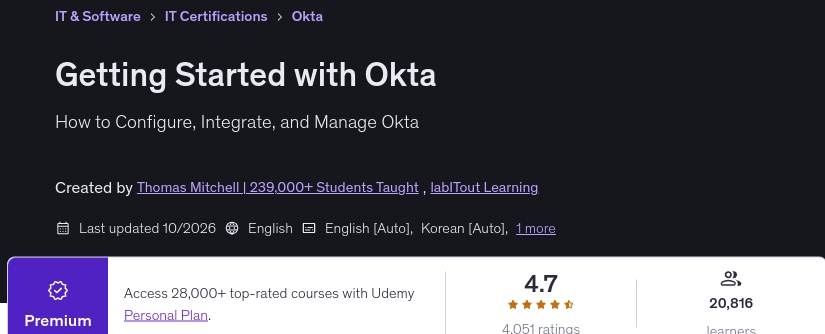
Specificatoin of Getting Started with Okta
- Publisher : Udemy
- Teacher : Thomas Mitchell | 239,000+ Students Taught , labITout Learning
- Language : English
- Level : Beginner
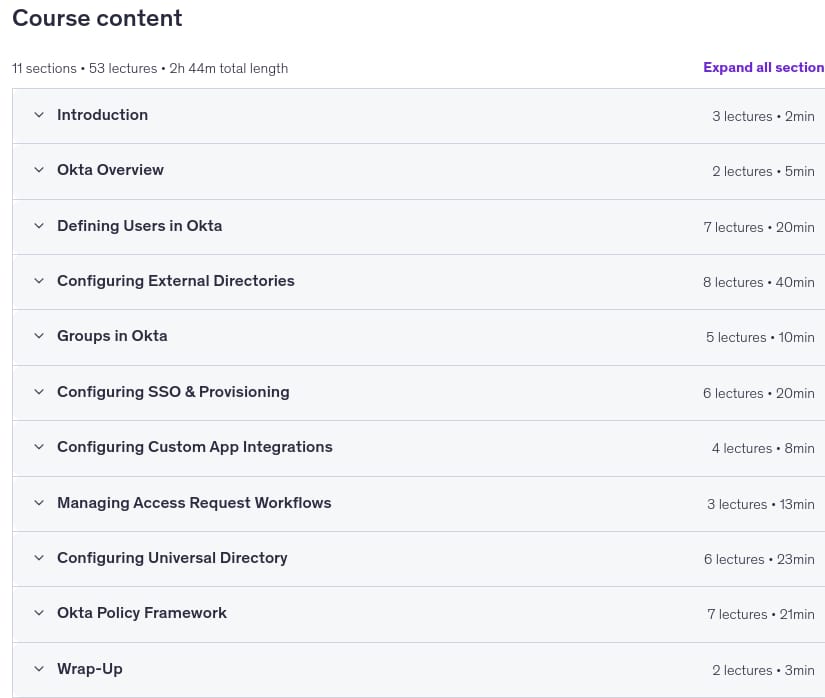
- Number of Course : 53
- Duration : 2 hours and 44 minutes
Content of Getting Started with Okta
Requirements
- Basic understanding of Identity and Access Management
- Basic familiarity with Active Directory
- Basic networking knowledge
- Access to an Okta org (free trial is fine)
- Access to a virtual machine to complete hands-on lab activities
Pictures
Sample Clip
Installation Guide
Extract the files and watch with your favorite player
Subtitle : English
Quality: 720
Download Links
Password file(s): www.downloadly.ir
File size
509 MB