

Descriptions
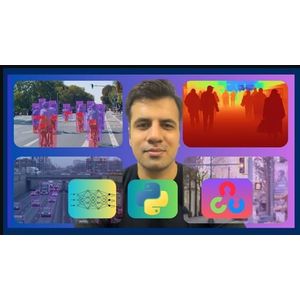
YOLOv12 & YOLO26: Custom Object Detection & Web Apps 2026, Master real-time computer vision and deep learning by building custom object detection, instance segmentation, pose estimation, image classification, tracking, and oriented bounding box (OBB) models using YOLOv12 and YOLO26. This hands-on course explores the cutting-edge architectures and attention mechanisms behind the latest YOLO releases, comparing model speeds and accuracies, and guiding you through setting up development environments on Windows and Google Colab. You will learn foundational computer vision concepts including Non-Maximum Suppression (NMS), Mean Average Precision (mAP), and dataset labeling using Roboflow.
Through 8+ real-world computer vision projects, you will train and fine-tune custom YOLOv12 and YOLO26 models for pothole detection, wildlife monitoring, package segmentation, human activity recognition, and plant classification. You will also build advanced vision systems including a real-time vehicle intensity heatmap, a Bird’s Eye View (BEV) road transformation system, an automated tennis analysis platform with PyTorch and OpenCV, and an interactive web application deploying YOLO models to the browser using Flask. By the end of this course, you will possess the practical skills to build, export, and deploy end-to-end deep learning applications.
What you’ll learn
- Introduction to YOLO26: Architecture, Innovations, and Benchmarks
- Using YOLO26 for Detection, Segmentation, Pose Estimation, OBB, and YOLOE-26
- Step-by-Step YOLO26 Setup on Windows with Google Antigravity
- YOLO26 vs YOLO11: Speed and Accuracy Comparison
- YOLO26 Custom Object Detection: Dataset Creation & Model Training
- YOLO26 Instance Segmentation: Dataset Annotation & Model Training
- Fine-Tuning YOLO26 for Pose Estimation on a Custom Dataset
- Training YOLO26 for Image Classification on a Custom Dataset
- Exporting Models with Ultralytics YOLO26
- Building a Vehicle Intensity Heatmap from YOLO26 Detections
- Real-Time Bird’s Eye View (BEV) System using YOLO26 and OpenCV
- YOLOv12 architecture and how it really works
- What is Non Maximum Suppression & Mean Average Precision
- How to use YOLOv12 for Object Detection
- Evaluating YOLOv12 Model Performance on Images, Videos & on the Live Webcam Feed
- Blurring Objects with YOLOv12 and OpenCV-Python
- Data annotation/labeling using Roboflow
- Build a Tennis Analysis System with YOLO, OpenCV and PyTorch
- Training and Fine-Tuning YOLOv12 Models on Custom Datasets
- Object Detection in the Browser using YOLOv12 and Flask
Who this course is for
- Anyone who is interested in Computer Vision
- Anyone studying Computer Vision who wants to learn YOLOv12 & YOLO26 for Object Detection, Segmentation, Pose Estimation, Image Classification, Tracking, and Oriented Bounding Boxes (OBB).
- Anyone who aims to build Deep learning Apps with Computer Vision
Specificatoin of YOLOv12 & YOLO26: Custom Object Detection & Web Apps 2026
- Publisher : Udemy
- Teacher : Muhammad Moin
- Language : English
- Level : All Levels
- Number of Course : 29
- Duration : 11 hours and 15 minutes
Content of YOLOv12 & YOLO26: Custom Object Detection & Web Apps 2026

Requirements
- Mac / Windows / Linux – all operating systems work with this course!
Pictures

Sample Clip
Installation Guide
Extract the files and watch with your favorite player
Subtitle : English
Quality: 720
Download Links
Password file(s): www.downloadly.ir
File size
10.93 GB