


Description
“Ubuntu Linux Foundations: Command Line, Boot & Cloud-init” is a training course published by Udemy designed to build a solid foundation in Ubuntu Linux system administration and monitoring. Whether you are new to Linux or looking to prepare for roles in system administration, DevOps, or cloud engineering, this course offers a practical starting point. You will learn to work confidently with the command line, navigate the Linux file system, manage files and permissions, handle processes and services, and understand essential system operations. You will explore the Ubuntu file system using key Linux terminal commands and manage files with confidence. Additionally, you will configure file permissions and user access controls, and manipulate text data streams directly from the command line. The course also introduces the Linux boot process, helping you understand what happens when an Ubuntu system starts up and how to troubleshoot common boot-related issues.
You will troubleshoot the Ubuntu boot process, examine system logs, and manage background services using systemd. You will be introduced to Cloud-init and learn how automated configuration can be used to efficiently prepare and customize Linux systems in cloud and virtualized environments. You will write automated Cloud-init scripts to provision, initialize, and deploy custom Ubuntu cloud instances. Through practical examples and hands-on exercises, you will develop the skills needed to manage Ubuntu systems more effectively and understand the fundamentals of automated server provisioning. By the end of the course, you will have a solid foundation for working with Ubuntu, ranging from the command line to cloud deployment.
What you will learn in Ubuntu Linux Foundations: Command Line Boot & Cloud-init:
- Navigate the Ubuntu filesystem and manage files with confidence using essential Linux terminal commands.
- Configure file permissions, user access controls, and manipulate text data streams directly from the CLI.
- Troubleshoot the Ubuntu boot process, inspect system logs, and manage background services via systemd.
- Write automated cloud-init scripts to provision, initialize, and deploy custom Ubuntu cloud instances.
- and …
Course specifications
Publisher: Udemy
Instructors: ACHRAF ER-RAYA
Language: English
Level: Introductory to Advanced
Number of Lessons: 6
Duration: 1 hour and 40 minutes
Course topics
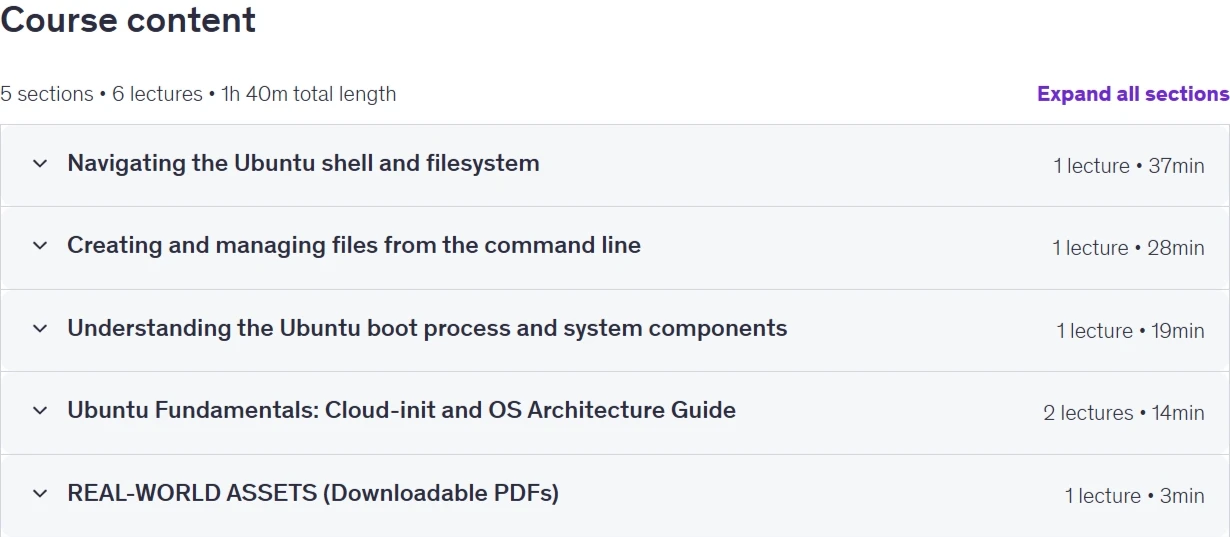
Ubuntu Linux Foundations: Command Line Boot & Cloud-init Prerequisites
No prior Linux experience required—just a computer (Windows, Mac, or Linux) with an internet connection.
Pictures

Ubuntu Linux Foundations: Command Line Boot & Cloud-init introduction video
Installation guide
After Extract, watch with your favorite Player.
Subtitle: None
Quality: 1080p
Downloadly link
Rapidgator link
File password (s): www.downloadly.ir
Size
663 MB