Description
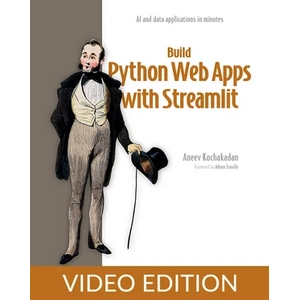
Build Python Web Apps with Streamlit, Video Edition. This course is a comprehensive, hands-on learning program for building interactive web applications using Python and the Streamlit framework, enabling developers to quickly publish their data tools and AI tools to the web without requiring front-end knowledge. This course is designed based on a proven, hands-on project-based approach to help Python programmers turn their ideas for data tools and AI workflows into web applications without requiring complex knowledge of HTML, CSS, and JavaScript. Using ready-made UI components and the simple configuration of the Streamlit framework, learners learn to understand implementation models and experience software engineering in action through real-world programming and debugging challenges. During this training program, participants will learn about RAG and Agent patterns by building a variety of data dashboards, interactive checklists, and AI-powered chatbots. Important topics such as database integration and persistent data storage, user authentication and access management, implementing production-grade architectures, and documenting software infrastructure are also covered. Designed by a senior software engineer, this course will help enthusiasts take their web development and AI skills to a professional level.
What you will learn
- Build interactive web applications without having to learn HTML, CSS, and JavaScript.
- A complete understanding of the Streamlit framework’s execution model and how it works behind the scenes
- Working with databases and managing persistent data in web applications
- Creating and implementing software architectures at the production standard level
- Implementing authentication and user access level management
- Building powerful applications powered by large LLM language models
- Developing advanced data dashboards and functional information visualizations
- Adhering to standard security principles and best software development practices
This course is suitable for people who:
- Python programmers who want to build web applications without prior knowledge of the web or artificial intelligence.
- Data developers who want to share their analysis results in the form of interactive dashboards
- Those interested in learning modern artificial intelligence tools and language models in the Python framework.
- People who want to learn software engineering and web deployment skills by building real projects
Build Python Web Apps with Streamlit, Video Edition course details
- Publisher: Oreilly
- Instructor: Aneev Kochakadan
- Training level: Beginner to advanced
- Training duration: 12 hours and 59 minutes
Course headings
- Foreword
- Part 1. Hitting the ground running
- Chapter 1. Introduction to Streamlit
- Chapter 1. What is Streamlit?
- Chapter 1. Ten reasons Streamlit is so popular
- Chapter 1. What can you build with Streamlit?
- Chapter 1. When not to use Streamlit
- Chapter 1. How is Streamlit different from other technologies?
- Chapter 1. Summary
- Chapter 2. Getting started with Streamlit
- Chapter 2. Setting up your development environment
- Chapter 2. Running Streamlit for the first time
- Chapter 2. The Streamlit development workflow
- Chapter 2. Building your first app
- Chapter 2. Summary
- Chapter 3. Taking an app from concept to code
- Chapter 3. Stating our concept: A unit converter
- Chapter 3. Defining the requirements
- Chapter 3. Visualizing the user experience
- Chapter 3. Brainstorming the implementation
- Chapter 3. Writing code
- Chapter 3. Iterating on the app
- Chapter 3. Summary
- Chapter 4. Streamlit’s execution model
- Chapter 4. Implementing and troubleshooting the app
- Chapter 4. How Streamlit executes an app
- Chapter 4. Persisting variables across reruns
- Chapter 4. Completing the app
- Chapter 4. Summary
- Chapter 5. Sharing your apps with the world
- Chapter 5. Deploying the to-do list app to Streamlit Community Cloud
- Chapter 5. Deploying an app that uses an external service
- Chapter 5. Deploying changes to Streamlit Community Cloud
- Chapter 5. Summary
- Part 2. Diving into more complex apps
- Chapter 6. A dashboard fit for a CEO
- Chapter 6. Loading the data
- Chapter 6. Prepping and filtering the data
- Chapter 6. Calculating and displaying metrics
- Chapter 6. Constructing visualizations
- Chapter 6. Summary
- Chapter 7. The CEO strikes back: Supercharging the dashboard
- Chapter 7. Granularity in the time series chart
- Chapter 7. Interdependent filters
- Chapter 7. Date range comparisons
- Chapter 7. A drilldown view
- Chapter 7. Enabling deeplinks
- Chapter 7. Sourcing data from a data warehouse
- Chapter 7. Summary
- Chapter 8. Building a CRUD app with Streamlit
- Chapter 8. Setting up persistent storage
- Chapter 8. Creating user accounts
- Chapter 8. Setting up a multi-page login flow
- Chapter 8. Creating, reading, updating, and deleting haikus
- Chapter 8. Deploying Haiku Haven
- Chapter 8. Summary
- Part 3. Streamlit and LLMs
- Chapter 9. Creating an AI-powered application
- Chapter 9. Using AI to generate trivia questions
- Chapter 9. Using AI to evaluate answers
- Chapter 9. Moving through game states
- Chapter 9. Game mechanics: Keeping score, a New Game button, and Game Over
- Chapter 9. Including multiple questions
- Chapter 9. Adding AI personalities
- Chapter 9. Summary
- Chapter 10. RAG and agentic apps with LangGraph and Streamlit
- Chapter 10. Creating a basic chatbot
- Chapter 10. Multi-turn conversations
- Chapter 10. Restricting the bot to customer support
- Chapter 10. Retrieval Augmented Generation
- Chapter 10. Turning the bot into an agent
- Chapter 10. Summary
- Part 4. Testing and deploying apps
- Chapter 11. Testing Streamlit apps
- Chapter 11. Testing the application
- Chapter 11. Unit testing the backend
- Chapter 11. Unit testing the Streamlit frontend
- Chapter 11. Testing the integration between components
- Chapter 11. Testing the end-to-end flow
- Chapter 11. Evolving code and tests
- Chapter 11. Summary
- Chapter 12. Packaging and deploying Streamlit apps
- Chapter 12. Packaging the app using Docker
- Chapter 12. Deploying to AWS Elastic Beanstalk
- Chapter 12. Adding a custom domain and HTTPS
- Chapter 12. Go forth and develop!
- Chapter 12. Summary
- Appendix A. Installing Python and Streamlit
- Appendix A. Installing the right Python version
- Appendix A. Installing Streamlit
- Appendix A. Getting the streamlit command to work
Course images
Sample course video
Installation Guide
After Extract, view with your favorite player.
Subtitles: English
Quality: 1080p
Download link
Download Part 1 – 1 GB
Download Part 2 – 1 GB
Download Part 3 – 135 MB
Rapidgator link
Download Part 1 – 1 GB
Download Part 2 – 1 GB
Download Part 3 – 135 MB
File(s) password: www.downloadly.ir
File size
2.1 GB