


Description
MediaHuman YouTube To MP3 Converter software. If you enjoy listening to music on YouTube or SoundCloud and want to save it for offline playback, or if you are looking to download the soundtrack of a new movie, this software is recommended for you. This program has been developed specifically for this purpose. Using this software, the user is able to download all the music in a playlist or channel. This software downloads the highest quality available up to 320 kbps and supports various platforms such as YouTube, SoundCloud, Vimeo, Dailymotion and VEVO. It can also download multiple tracks at the same time and has a simple tag editor with support for cover art. It is also possible to import files to iTunes.
Program features and functions
- Playlists and channels: The software supports downloading all videos in a playlist or a channel. There is also an option to subscribe and download only newly uploaded tracks.
- iTunes Support In the application’s Preferences, you can choose to automatically add downloaded tracks to iTunes. You can also specify the iTunes playlist to which the converted track should be added.
- Saves your time & traffic This program detects and downloads the audio track in a YouTube video clip, skipping the video part. As a result, the download speed is greatly increased, especially for HD quality content.
- The app’s simple tag editor automatically detects the artist name and track title of the video and saves it in the downloaded file. But at the same time, the user can easily change the tags to anything they want. They can even change the cover art image.
- Original format, no conversions: The user can save audio tracks in their original quality without any conversions. This means there will be no loss of quality and the download time will be greatly reduced.
- Free music There is a huge amount of music on YouTube. The user can always find his favorite song there, and the YouTube to MP3 Converter software allows him to save it to his computer for free. It is enough to find the track he likes and download it in the quality he needs.
- Not only YouTube , Vevo.com, Vimeo, DailyMotion, Soundcloud, Bandcamp, HypeMachine, MixCloud, UOL and many more are also supported. So, the user can easily download music from these sites as well as YouTube.
- Clipboard tracking: This program tracks the contents of the system’s clipboard. This means that the user can easily add a video clip without having to leave their favorite browser. Simply copy a URL to the clipboard and it will be added to the download queue.
- Multilingual interface: The user interface of this program has been localized in Arabic, Armenian, Azerbaijani, Bulgarian, Catalan, Chinese (Taiwan), Croatian, Czech, Danish, Dutch, English, Esperanto, French, German, Greek, Hebrew (Israel), Hungarian, Indonesian, Italian, Japanese, Korean, Latvian, Lithuanian, Malay, Norwegian Bokmål, Polish, Portuguese, Portuguese (Brazil), Romanian, Russian, Spanish, Swedish, Turkish, and Vietnamese.
System requirements
- Operating System: Windows 7, 8, 10, or 11 (32-bit or 64-bit).
- Hard Drive Space: 80 MB to 200 MB.
- RAM: 2 GB RAM is the minimum, with 4 GB recommended for better performance.
Pictures
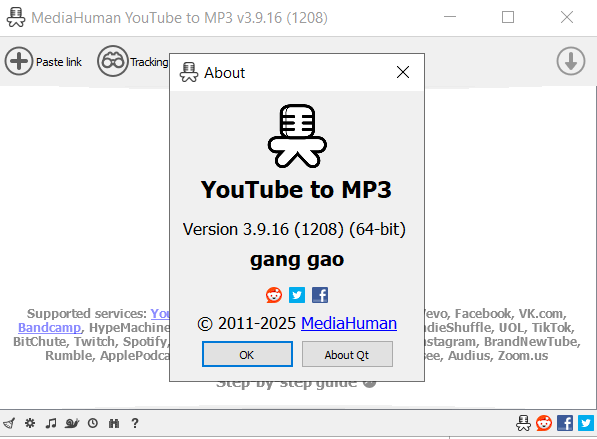
Installation Guide and Tips
Read the Readme.txt file in the Crack folder.
Download link
Download MediaHuman YouTube To MP3 Converter 3.9.21.1906 Multilingual x64
File(s) password: www.downloadly.ir
File size
84 MB