

Description
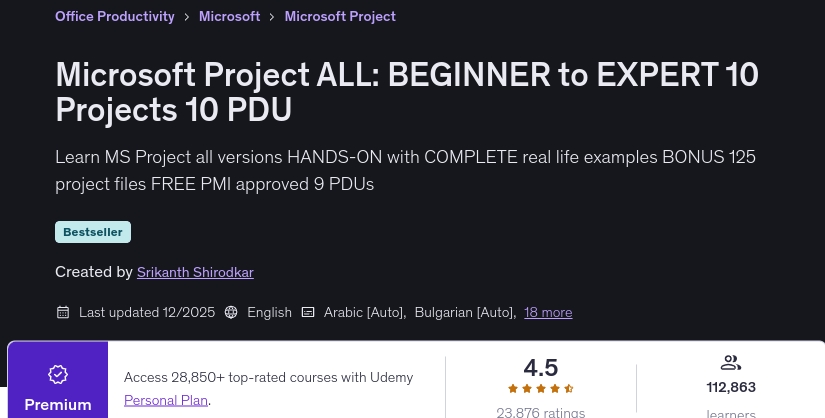
Microsoft Project ALL course: BEGINNER to EXPERT 10 Projects 9 PDU. This is the first, only, #1 best-selling course for 3 consecutive years and the most comprehensive HANDS_ON Microsoft Project training course that brings together three aspects – 1) Microsoft Project 2) Project Management Fundamentals and 3) Hands-on exercises. No other book, tutorial, or course offers this unique combination anywhere on the Internet. Microsoft Project is a monster of a software program – almost 30 years old! It was released on MS-DOS in the mid-1980s. So, it has every feature imaginable so far – and then some. My promise to you: By the end of this course – you will be very comfortable with Microsoft Project – and you will be able to use Project like a BOSS. You will be able to create, manage and track world-class programs – with complex resource requirements, allocation, budgeting, reporting and tracking – to project completion!!! Want to master the world’s most popular project management tool? Learn Microsoft Project in this comprehensive course.
- Applicable to all versions of Microsoft Project – stay miles ahead of the curve
- Award: Approved under category “B” for 9 PMI PDU points. The penultimate lesson presented shows how you can claim this.
- Start with the basics – this course makes no assumptions
- Get promoted with your new skills – become indispensable in your organization
- Bonus – 100+ Project File Downloads – Practice exactly what is shown in each lecture
- At the end of the course – you will be able to solve the most difficult project scheduling problems.
- Years of experience are summarized in this course – with generous tips, tricks, best practices, problems – in each concept lesson.
Learn Microsoft Project to create incredibly powerful project plans.
- Learn to use the project at every stage of project management—initiation, planning, execution, and control—and finally, closure.
- Identify real life problems – planning, costing, resourcing, work allocation!
- Use dynamic reports – powerful, automated, DYNAMIC reports and dashboards
- Save hundreds of hours and thousands of dollars – by optimizing resources, identifying, preventing and mitigating risks
- Learn to solve the #1 problem project managers face with schedule management – over-allocated resources. More than 8 techniques demonstrated in this course – push dates – adding delays, increasing working hours, balance allocation, alignment, work lines, using the team scheduler view, using the “resource allocation” feature, dividing tasks
- Explore 100’s of features in Microsoft Project – views, tables, charts, formatting, multi-detail windows, and more.
What am I supposed to gain from this course?
- A step-by-step HD video tutorial starting from the basics – to advanced EXPERT level topics.
- Video lectures, extensive resources, downloadable practice project files, PDF files, and more – 120+ individual lessons, 9+ hours of instruction
- WBS explained: Ten complete exercises – each with different scenarios, goals and master files.
- Even more: the practice files have a BEGIN and FINISH version – allowing you to repeat exactly what was shown in the lecture.
- Each concept is full of tips, tricks, problems from years of practical experience
- Practice assignments in exercises, tests to self-test your knowledge
What you will learn in Microsoft Project ALL: BEGINNER to EXPERT 10 Projects 9 PDU course
-
Creating EXPERT-LEVEL project plans using Microsoft Project (all versions) Over 10 (TEN) complete practical project exercises – step by step described
-
Manage all your resources in Microsoft Project – whether it’s people, money, machines, licenses or even shared resources
-
Create 100’s of global, self-updating graphical reports – with the click of a button
-
Fix OVERALLOCATIONS – using multiple ways provided by Microsoft Project
-
Identify risks a mile ahead – mitigate them early – build contingencies into your plans
-
Identify critical paths as easily as 1-2-3 adding summary tasks
-
Make weekly tracking and reporting a pleasure – not a pain
-
Track project variance at a microscopic level if desired
-
Practice with more than 100 project downloads at different stages of the 10 exercises covered
-
Core tutorials – you can use any type of project (online, offline, desktop, professional) – what you learn here will not become obsolete
This course is suitable for people who
- New project managers with no tool experience
- Experienced PM with no MS project experience
- Self-taught users of Microsoft Project – who only used it for the basics – like creating a schedule
- Senior and executive management – managing one or more PMs, projects and budgets – this course will also be of great benefit to you.
- Users of older versions (eg MSP 2003, 2007, 2010, 2013, etc.) – who want to see and prepare for the latest and greatest
- I do not teach the art and science of project management itself – this course is not the place for that. However, if you are new to project management, you will learn a lot.
Course specifications Microsoft Project ALL: BEGINNER to EXPERT 10 Projects 9 PDU
- Publisher : Udemy
- Teacher : Srikanth Shirodkar
- Language: English
- Level : All Levels
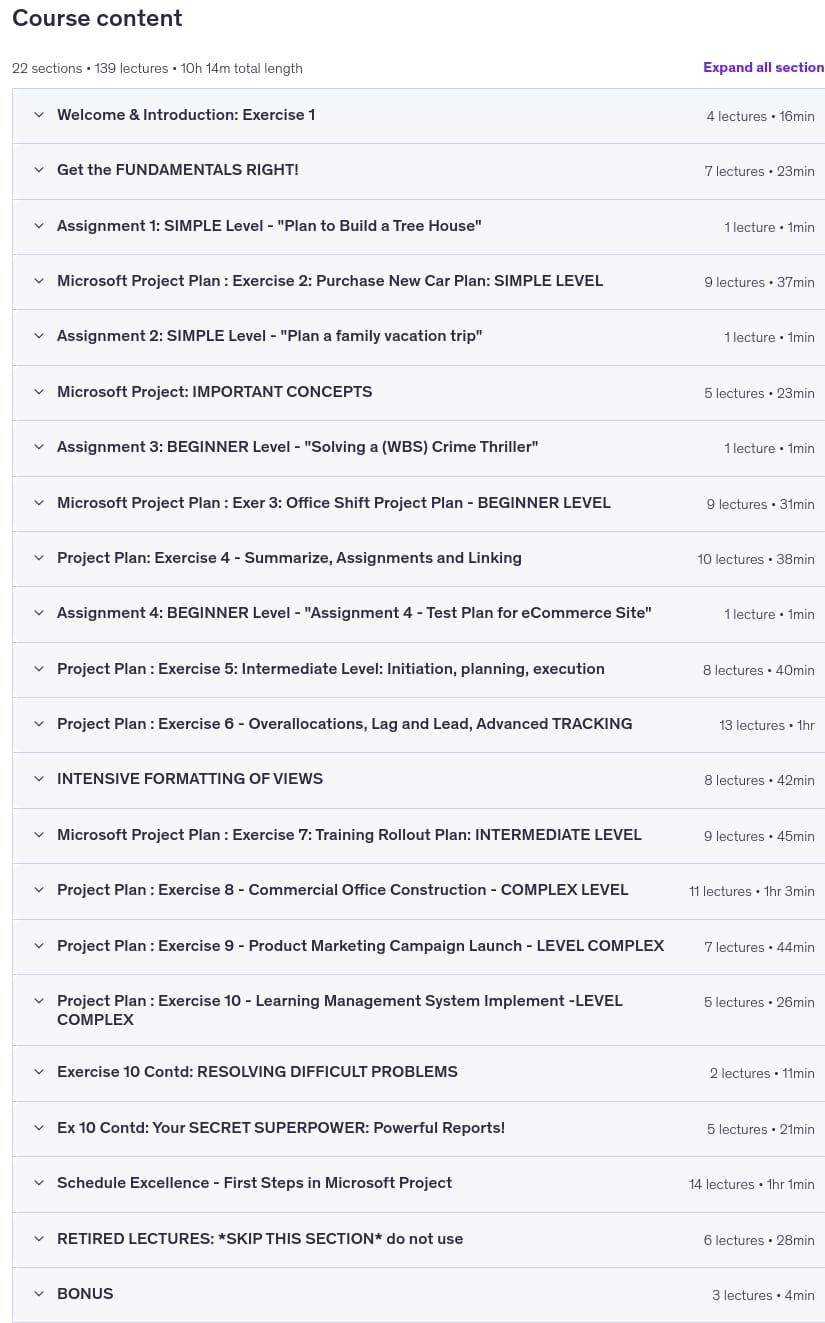
- Lectures : 139
- Duration : 10 hours and 14 minutes
Microsoft Project ALL course titles: BEGINNER to EXPERT 10 Projects 9 PDU
Microsoft Project ALL course prerequisites: BEGINNER to EXPERT 10 Projects 9 PDU
- Basic proficiency with Windows UI
- Microsoft Project Trial version can be used – if you don’t already have this (search on Microsoft’s Office site, registration required)
- Some familiarity with MS Office will make things even easier – but not absolutely required
- Basic concepts of project management – Initiation, Planning, Execution, Monitor & Control, and Closure of projects.
Course images
Sample video of the course
Installation guide
After Extract, view with your favorite Player.
subtitle: English
Quality: 1080p
The 2025/12 version the duration has increased by 1 hours compared to 2020/12.
download link
File(s) password: www.downloadly.ir
[ad id=’11306′]
File size
6.36 GB
2 Comments. Leave new
Can you please update this course?
Hi
Updated