


Description
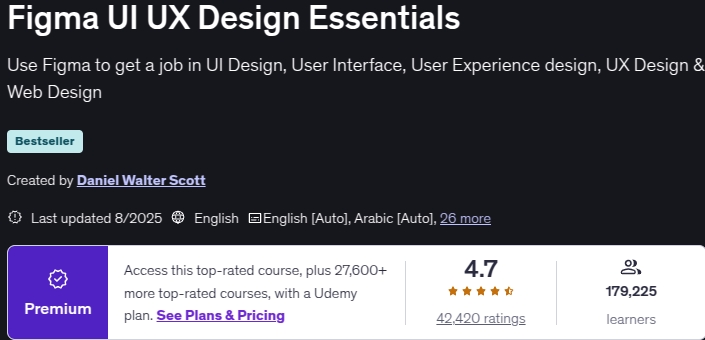
Figma UI UX Design Essentials is a user interface design (UI) and user experience (UX) training course with Figma tools, published by Udemy (Formerly by Bring Your Own Laptop Graphic Training Academy). Daniel Walter Scott Instructor This course is one of the leading instructors in the field of graphics and digital design, which has received its official training certificate from Adobe. Your goal in this course is to create an interactive user experience and build a prototype of the user interface of a digital product such as a site or application. The ultimate goal is to design and develop an interface to meet the needs of the user and increase the number of customers and users of a particular product. This course is designed for beginners and those who have no experience in the process of interface design and user experience and can be a good starting point for your entry into the world of design.
User experience design is a specialty and as a process has various steps such as collecting basic information and determining the needs of the user and business, making wireframes and product initial design, using colors and images in the product, selecting the appropriate font and typography , Making icons and graphical reusable components such as buttons, making user interface kits, etc.
What you will learn in Figma UI UX Design Essentials
- User interface (UI) and user experience (UX) design with Figma tool
- Figma tools and plugins
- Gather basic information, survey and identify user and business goals
- Construction of wireframe and initial product design and framework
- Product layout and layout design
- Color theory and choosing the right colors and images for the product
- Build reusable graphic icons and components
Course specifications
- Publisher : Udemy
- Teacher : Daniel Walter Scott
- Language: English
- Level : All Levels
- Lectures : 95
- Duration : 9 hours and 29 minutes
Course topics

Requirements
- You’ll need a copy of Figma. A free plan is available on the Figma website.
- No previous UX Design/UI Design experience is needed.
- No previous Figma skills are needed.
- No previous design skills or experience required.
Pictures
Figma UI UX Design Essentials Introduction Video
Installation guide
After Extract, watch with your favorite Player.
Subtitle: English
Quality: 1080p
Changes:
Version 2025/1 has increased the number of lessons by 1 and the duration by 1 minute compared to version 2024/3.
The 2025/8 version has decreased the number of lessons by 17 and the duration decreased by 2 hours 22 minutes compared to 2025/1.
Download Links
Downloadly
Rapidgator
File password (s): www.downloadly.ir
Size
4.42 GB
6 Comments.
Can you please help with 1080p of this course? The 720 isn’t so clear
Hi
Updated
Thank you so much for all you do.God bless you
Update please
Not available
Great Help Man
I have been searching for this whole Day ❤️