


Description
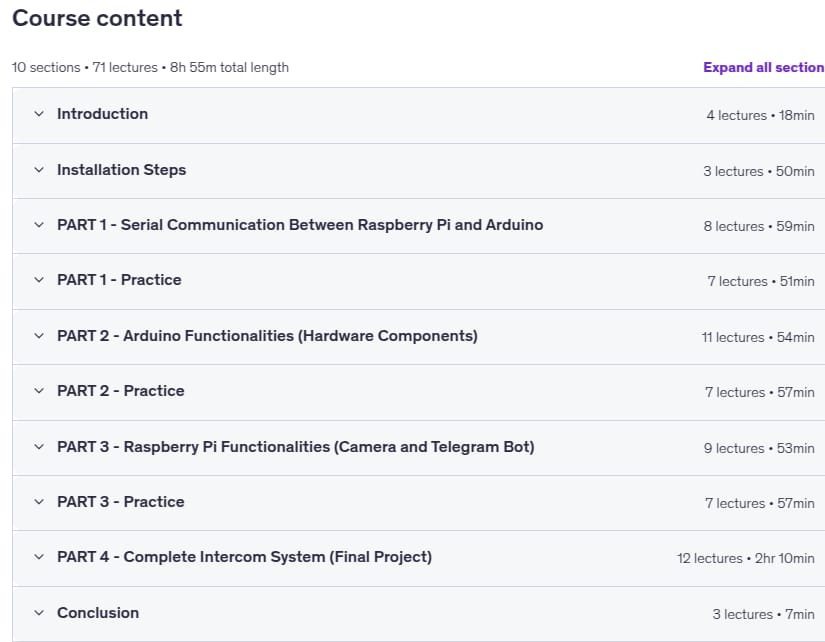
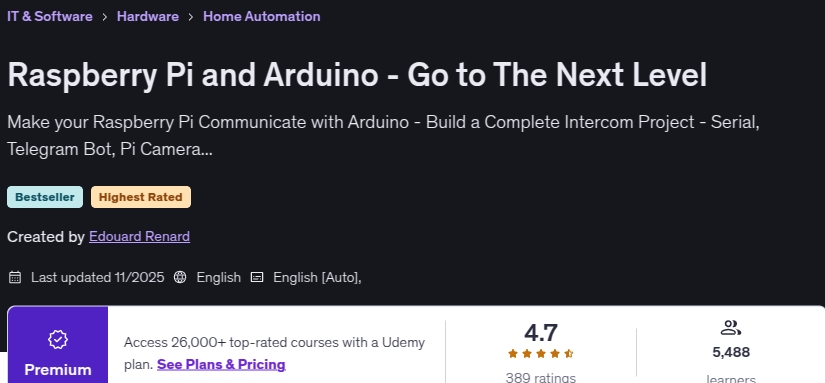
Raspberry Pi and Arduino – Go to The Next Level is a training course on the installation, configuration and programming of two Raspberry Pi and Arduino boards, published by Udemy Academy. Each of these two boards has unique capabilities and strengths that can be combined to create different projects. Python and C ++ programming languages are used to program Raspberry Pi and Arduino boards, respectively. Python is a simple, high-level language, but C ++ is a mid-level language that is much closer to raw hardware and has more maneuverability. This training course is completely project-oriented and the project design and development process will be done in 4 separate stages. In the first step, using serial communication, you will establish the data transfer cycle between the two boards.
In the second step, you will create an Arduino circuit for the project and enter the various components into the circuit one by one. All added components will be controlled via the Raspberry Pi board. In the third stage, you will work with the Raspberry Pi board completely exclusively and you will benefit from its various capabilities and facilities. In this step, you will add a camera to the project and then sync the camera function with the Telegram robot. The camera is controlled directly via the Arduino board and commands will be sent from the Telegram robot to the Arduino circuit. In the fourth step, you will develop the project and build a complete communication tool.
What you will learn in Raspberry Pi and Arduino – Go to The Next Level
- Construction of a communication bus between Raspberry Pi and Arduino with serial communication
- Build a complete communication project with Raspberry Pi and Arduino
- Use Raspberry Pi and Arduino as the processing and execution part of the project, respectively
- Understand the differences between Raspberry Pi and Arduino
- Install and configure Arduino IDE development environment on Raspberry Pi OS
- Build a two-way serial communication protocol
- Build a dedicated communication protocol to communicate between components using serial
- Raspberry Pi board programming with Python version 3
- Arduino board programming with C ++ language
- Build a telegram robot with Python 3
- Send notifications from Raspberry Pi to mobile
- Control the Arduino board via the Telegram robot
- Development of engineering mentality and thinking and problem solving
Course specifications
- Publisher : Udemy
- Teacher : Edouard Renard
- Language: English
- Level : All Levels
- Lectures : 71
- Duration : 8 hours and 55 minutes
Course topics
Raspberry Pi and Arduino – Go to The Next Level Prerequisites
Arduino basics with C++ and how to build a circuit
Raspberry pi basics with Python 3
Arduino board + Raspberry Pi board + a few hardware components (list of components available in a free preview lesson)
This is an intermediate course, not for complete beginners!
Pictures
Raspberry Pi and Arduino – Go to The Next Level Introduction Video
Installation guide
After Extract, watch with your favorite Player.
subtitle: English
Quality: 720p
The 2025/11 version has increased the number of lessons by 1 and the duration increased by 11 minutes compared to 2021/11.
Download Links
File password (s): www.downloadly.ir
Size
3.02 GB