


Description
Splunk is software for collecting and analyzing big data. This program provides you with a deep insight into the process of growing your business by analyzing and evaluating the Big Data generated in your company\’s technological infrastructure, security systems and business applications. splunk monitors everything from user clicks to security transactions and networking activities. This powerful product will provide valuable information from raw machine-collected data and thus improve business intelligence.
Splunk helps you access and share this information with a variety of capabilities, including advanced search, visualization and use of various charts and charts, as well as templates ready for your predefined Jukeboxes. All you need to do is provide raw data to the program, leave the rest to Splunk. The main mission of this program is to smarten organizations and businesses by thoroughly analyzing the raw data and properly identifying the problems and weaknesses of businesses. The program has had over 10,000 customers worldwide.
Features and Features of Splunk:
- Collect and index data from virtually any data source
- Powerful search
- Comprehensive analysis and visualization of various data through various charts and graphs
- Simple and powerful user interface
- Ability to filter different data (suitable for large volume data)
- Multi-application capability (Multiple users can be defined with separate usernames and passwords and separate access levels)
System Requirement
Platform: Windows
Minimum supported hardware capacity
Intel Nehalem CPU or equivalent at 2 GHz, 2 GB RAM
Recommended hardware capacity
Windows platforms 2x six-core,
2+ GHz CPU, 12 GB RAM,
RAID 0 or 1 + 0,
with a 64 bit OS installed.
Picture

Installation guide
Read the Readme.txt file in the Crack folder.
During the installation of the software, after activating the Check tick, you need to enter the username and password for activation. You must first disable the antivirus and open the crack folder and open the License Server Win64 file. The values in front of the Master UUID Copy and paste in the username field and the values in front of Pass4Symmkey in the password and Confirm password fields. And continue the installation process until the end. Also, after installation, to access the software panel, in the address bar of the browser, search this address http://127.0.0.1:8000/en-US/account/login and to login, use the same username and password as during the software installation. Enter the software you entered in this section to enter the software environment and use it.
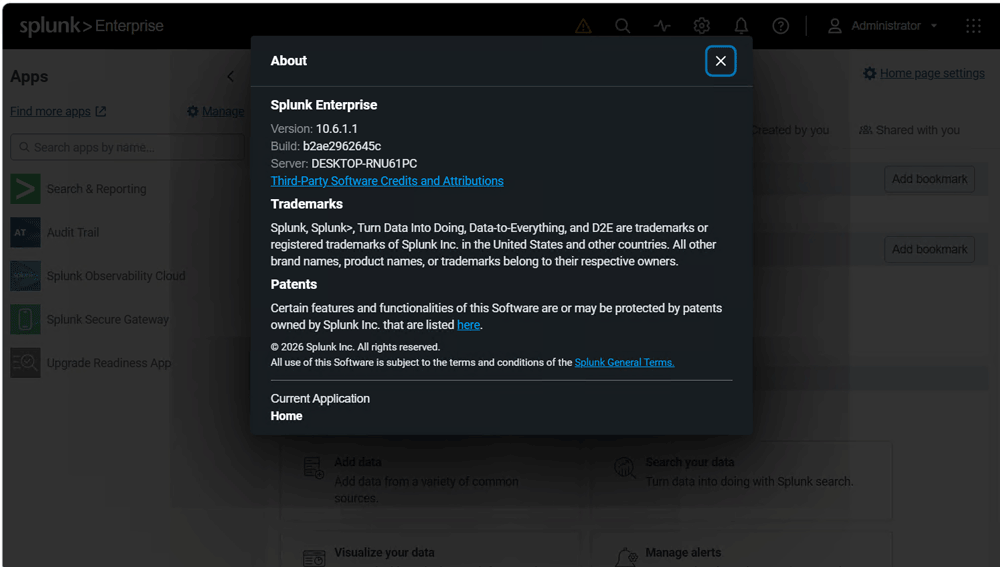
Version 10.6.1.1 was installed and successfully activated on Windows 10 64bit on 27 October 2026.
Download Links
Download Splunk Enterprise 10.6.1.1 x64 (Tested)
Download Splunk Enterprise 9.4.2 x64
Download Splunk Enterprise 9.0.1 x86
Download Splunk Enterprise 9.3.2 Linux
Download Splunk Enterprise 9.3.2 macOS
Download Splunk Enterprise 8.2.5 x64
Download Splunk Enterprise 8.2.5 Linux
Download Splunk Enterprise 8.1.2 x64
Download Splunk Enterprise 8.1.2 Linux
Download Splunk Enterprise 7.1.2 x86
Enterprise Security – ES
Download Splunk Enterprise Security 8.5.1 Retail
Download Splunk Enterprise Security 7.3.2 Retail
Cortex XSOAR Analytics App for Splunk
Download Cortex XSOAR Analytics App for Splunk 1.3.1 Retail
File password (s): www.downloadly.ir
Size
1.10 GB
1 Comment. Leave new
Good