


Description
DbVisualizer Pro is a database management and analysis software for all major databases (including Oracle, SQL Server, DB2, Sybase, MySQL, SQLite) on Windows and MAC operating systems. DbVisualizer is the perfect tool for database developers and administrators, helping you develop and maintain databases. This software has several special features that you can use to change the software features.
Features and Features of DbVisualizer Pro:
- SQL Tools: Support for Autofill, Parametric SQL, SQL Format, Visual Query Maker, Design Explanation and Command Line Interface
- Database Browser: Displays different objects side by side
- Database Object Management: An intuitive tool for managing database objects, editing, compiling, functions, triggers, etc.
- Data Sheet Management: Table data editor such as binary / BLOB and CLOB data, import from CSV and Excel files
- Extract database objects and tables as CSV, XML as well as support for output of very large results
- Run sql scripts
- Data Chart
- Set up step-by-step connections with the wizard
- Use a physical connection for all operations
- Organize database connections in a folder
- Set the background color of the tab individually for each connection
- Filtering database objects
- Hide database objects
- Searching for database objects
- Organize database connections with drag & drop
- Create and modify tables
- Rename the table
- Monitor the difference of the number of rows
- View PDF documents
- Output formats include CSV, HTML, SQL, XML, XLS, XLSX, JSON
- Automatically resize the column
See DbVisualizer Pro for full details.
required system
Operating System
Windows
Linux / Unix
Mac OS X
RAM: 512 MB
Disk Space: 50 MB
Java Runtime Environment 1.7
Pictures
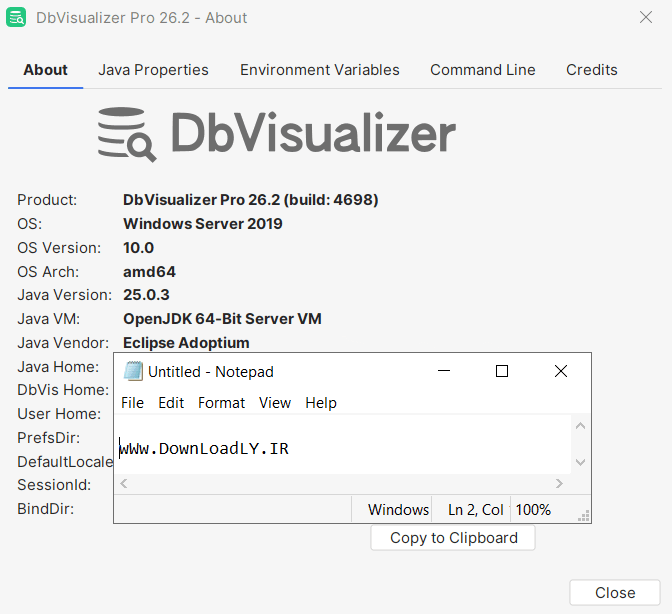

Installation guide
Listed in the Readme file in the Crack folder. Note that if after copying the relevant files, the software is still running in Free mode, just go to the Help -> License Key menu, select the License Key String option and drag and drop the license file (dbvis.license) In this window, activate the software in Pro mode.
The existing crack is also available for editions of Linux, Unix, and Mac, and its installer can be downloaded from the developer site;
Version 12.1.4 was installed and successfully activated on Windows 10 64-bit version on October 21, 2021.
Version 24.1.4 was installed and successfully activated on Windows 10 64-bit version on April 25, 2024.
Version 26.2 was installed and successfully activated on Windows 10 64-bit edition on August 29, 2026.
Download link
Download DbVisualizer Pro 26.2 x64
Download DbVisualizer Pro 25.3.1 x64
Download DbVisualizer Pro 24.3.3 x64
Download DbVisualizer Pro 24.1.4 x64 (Tested)
Download DbVisualizer Pro 24.2.3 macOS
Download DbVisualizer Pro 24.2.3 Linux
Download DbVisualizer_Pro 14.0.4 x64
Download DbVisualizer_Pro 13.0.6 x86
Download DbVisualizer_Pro 10.0.17 All OS Crack
File password (s): www.downloadly.ir
Size
214 MB
4 Comments. Leave new
I followed all the steps exactly, but I’m getting this error:
Invalid seal in license key file!
This usually means the file has been modified.
Install the original license key or license key file.
with the license file with this format
dbvis.license.activation=2019-09-09
dbvis.license.edition=Personal
dbvis.license.expire=2099-12-31
dbvis.license.id=downloadly
dbvis.license.name=downloadly
dbvis.license.org=downloadly
dbvis.license.product=DbVisualizer
dbvis.license.seal=MCwCFDxqH09ZSreXyauRiXldls9e+f+WAhQW7Ndsp5QRhWBDarhzjDsi+57tgA==
dbvis.license.upgrade.expire=2099-12-31
dbvis.license.version=2019.09.09
Hi there, we’ve tested the software (version 26.2) and it works correctly. If you have changed the default installation folder, ensure you have entered the correct path of the JAR file, and only then add the line below to the dbvis.vmoptions.
-javaagent:[INSERT_INSTALLATION_PATH_HERE]\dbvisualizer-agent.jar
When will the latest version be released?
Hi
Updated