


Description
Enscape 3D is a powerful plugin for use with AUTODESK REVIT, SketchUp, Rhino ceros and Archicad software. In fact, this plugin is an instant rendering. With this plugin you can polish your graphics work. You will also be able to enhance your project images at any angle with the latest rendering technology.
The Enscape3D plugin works in such a way that you do not need to do anything specific. Only by going to the ENSCAPE PLUGIN section of the software and selecting it and clicking on the Enscape option will the rendering start. In fact, besides being easy for the user to perform, this plugin performs a lot of processing and ultimately gives you a great result. The Enscape3D plugin is also capable of 2D and 3D rendering and VR rendering.
It is also capable of creating panoramic images. You can convert your graphic projects to 360-degree images with this plugin. All these operations are done with a simple click of the plugin, so it will be very easy for users.
Enscape 3D Plugin Features:
- Usable in AUTODESK REVIT, SketchUp, Rhino ceros and Archicad software
- Very simple to use with just one click
- Create improved images of your projects
- Convert images of your projects to VIRTUAL REALITY
- Create panoramic images from your project images
System Requirements
Operating Systems
Windows 10
Windows 8 / 8.1
Windows 7
Required CAD Software
Revit (2018, 2019, 2020, 2021, and 2022)
SketchUp (2018, 2019, 2020, 2021)
Rhino (6.0, 7.0)
ArchiCAD (21, 22, 23, 24, and 25)
Vectorworks (2020 Service Pack 3, 2021, 2022)
Recommended Hardware
The minimum requirements we recommend to run Enscape are an OpenGL 4.2 compatible NVIDIA or AMD graphics card with a minimum of 2GB of VRAM and the latest drivers available.
Picture

Installation Guide
in the README file.txt has come in folder Crack as well.
Version 3.1 (& other Keygen based versions):
Prior to installation, it is recommended that previous versions be removed completely (including the %APPDATA%\Enscape and %LOCALAPPDATA%\Enscape folders)
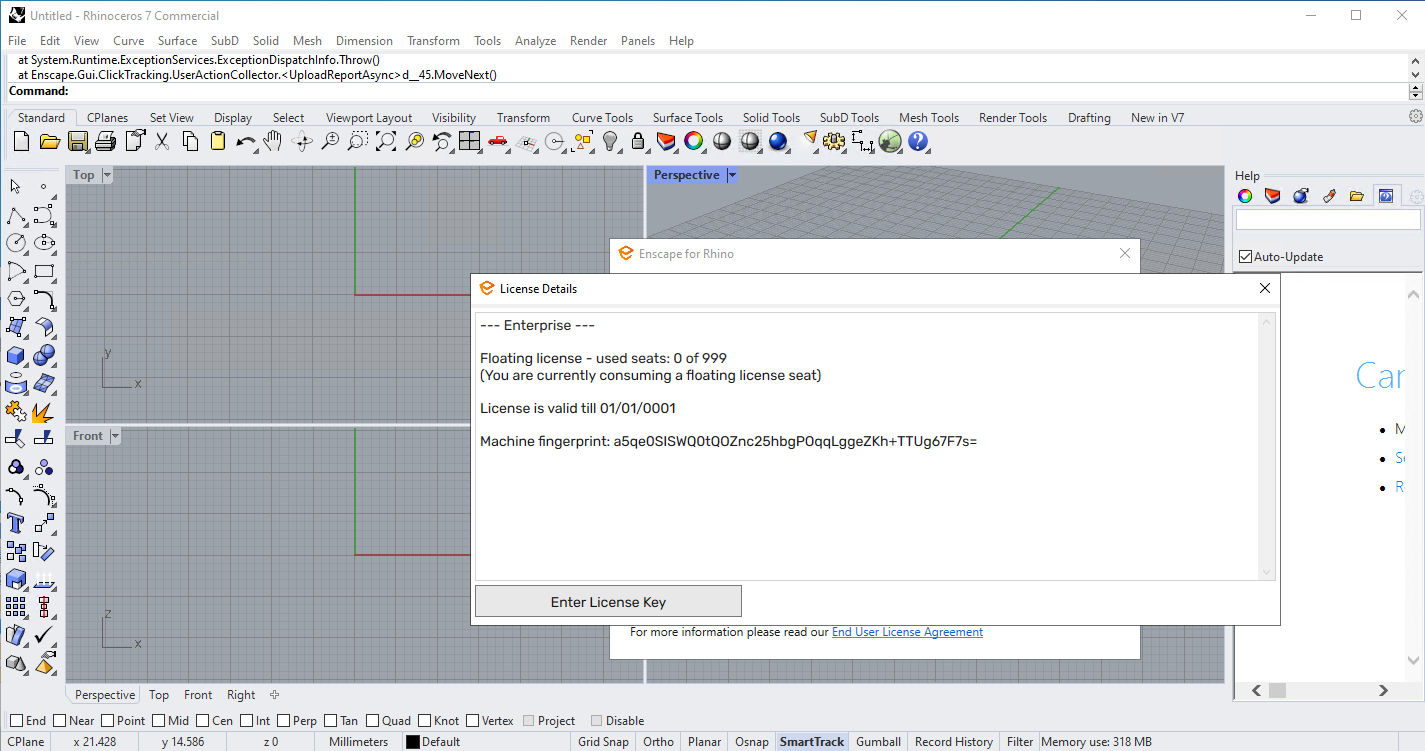
After installation, open one of the applications that you want to run Enscape on and from the Enscape menu, open the General Settings option (it may be different in different applications, for example in Rhino, in the section Command You must enter the command EnscapeOpenGeneralSettingsCommand and press Enter). In the General Settings window, bring the Licensing option from the menu on the left and select and copy the value entered in front of the Machine fingerprint. Then run the keygen.exe file in the crack folder, enter any desired value for the name and email values, and in the Hardware fingerprint field, enter the copied value and click Generate (the license will be automatically generated and copied ). Then in the License window, click on Enter License Key, paste and apply. The software is now ready to use
Assets Library:
First extract the zip file containing Assets. Run the host software and run the Enscape Asset Library window (pine tree icon) via the toolbar. Then, from the bottom right corner, check Offline enscape assets, select the folder in which you extracted the Assets, and click Use existing.
Version v3.4.2 was successfully activated -as seen on above picture- on November 4, 2022, using the Rhino 7 software and installed on Windows 10 edit 64bit.
with SketchUp :
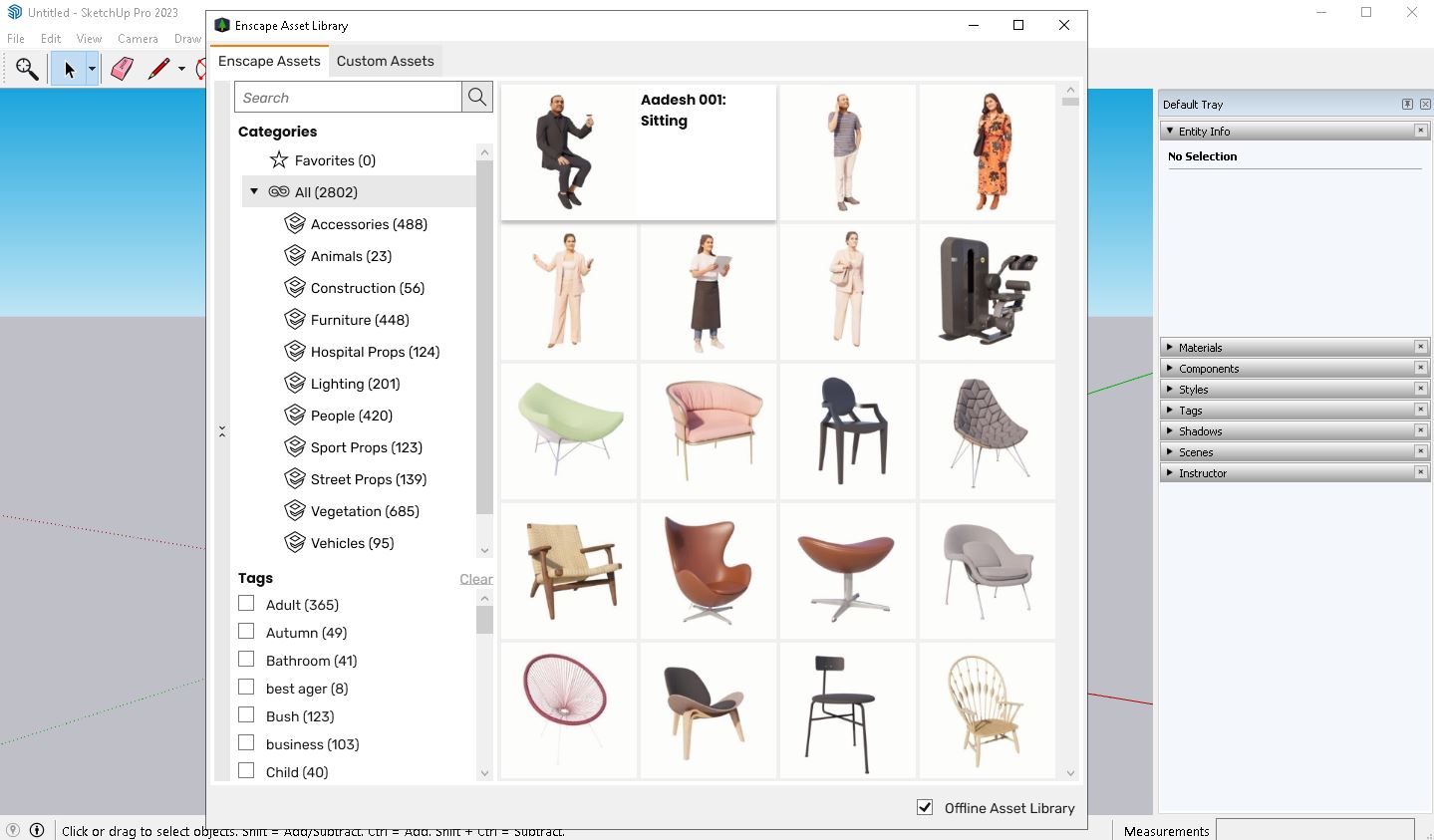
Install and activate the SketchUp software, then close the software (download here). Install the Enscape software and activate it according to the Readme, then run Sketchup and you will see a message based on the successful installation of Enscape (disable the Internet), select Extensions from the toolbar and click on Assets Library, an error will be displayed click on OK. In the lower right corner, activate the offline option, then select the Asset Library folder that you extracted and click on Use Existing.
Version 3.4.4 with Assets library 3.2 was successfully installed and activated (as shown in the image) on 2023-3-4 using SketchUp Pro 2023 v23.0.367 on Windows 10 (x64) edition.
Download Links
Download Enscape 3D 4.20.0.886 x64
Download Enscape 3D v4.16.0.1262 x64
Download Enscape 3D v4.1.0.1388 x64
Download Enscape 3D v3.5.6.204048 x64
Download New Crack for v3.5.6.204048
Download Enscape 3D v3.4.4.94564 x64
Enscape 3D v4 Assets Library
Enscape 3D v3.2 Assets Library
File password (s): www.downloadly.ir
Size
798 MB
14 Comments. Leave new
In Rhino 7, the Enscape 4.3 not work, it work only on Rhino 6
Enscape 4.1.and .4.2 no asset library found
Hi
Not available
mac path version pz upload
Hi
Not available
Hi, I am able to install together with Asset Library. But built in material library that comes with Enscape is missing. Is there any way that I can get Enscape built in material library and able to attach with Enscape rather than using 3rd party materials library.
Hi
Not available
hi, i’m using parallels desktop on macbook m2, it’s succesfully installed. but the “PATCH” won’t start. By the way, no antivirus running on this computer.
any solution? i really need this app for my work now.
Hi
We can not test mac softwares
There is no another crack for it
Hi I need Enscape Mac Os x for Skecthup Crack
Hi
Not available
works perfect! thank you!!
thank you so much, works great! but how do i load these assets library posted?
Hello
Installation guide section has been updated. Please refer to that on how to load assets.