


Description
Autodesk Civil 3D is Autodesk’s solution for civil and urban engineers to design different routes and roads and manage all stages of civil engineering projects from coordination to implementation and analysis. It also has the capability of 3D modeling and simulation of project components and stages, supported by Building Information Modeling or BIM alias, meaning building information modeling.
Autodesk Civil 3D Software Features and Features :
– Customizable user interface with optimization and customization
– Design and build a variety of roads, passages, tunnels and other sections of civil engineering projects
– Perform repetitive design actions dynamically and precisely
– Document all stages of construction
– Having a standardized database of various components of civil engineering projects
– Perform a variety of geological and geological surveys and analyzes
– Ability to work in groups and to share and update project information
– Features oil and gas pipeline route design
– 3D project capability to better understand and visualize and make necessary corrections and optimizations
– Enjoy AutoCAD Map 3D software mapping capabilities
– Support for GPS tools and their positioning information
– Increase speed and accuracy as well as reduce project costs
System Requirements
Autodesk AutoCAD Civil 3D 2024 | 2025 | 2026 | 2027
OS:Microsoft® Windows® 10 (64-bit only) (version 1803 or higher)
CPU:Minimum: 2.5–2.9 GHz or faster processor / Recommended: 3+ GHz or faster processor
Memory:16 GB
-Conventional Displays:1920 x 1080 with True Color
-High Resolution & 4K Displays:Resolutions up to 3840 x 2160 supported on Windows 10, 64 bit systems (with capable display card)
Minimum:1 GB GPU with 29 GB/s Bandwidth and DirectX 11 compliant
Recommended:4 GB GPU with 106 GB/s Bandwidth and DirectX 11 compliant
Brower:Google Chrome (for AutoCAD web app)
Space:16 GB
Picture

Installation guide
Read the Readme.txt file in the Crack folder. For versions 2020 to 2022, it is recommended to use License Patcher Ultimate.
Version 2026 was installed and successfully activated on Windows 10 64-bit edition on April 10, 2025.
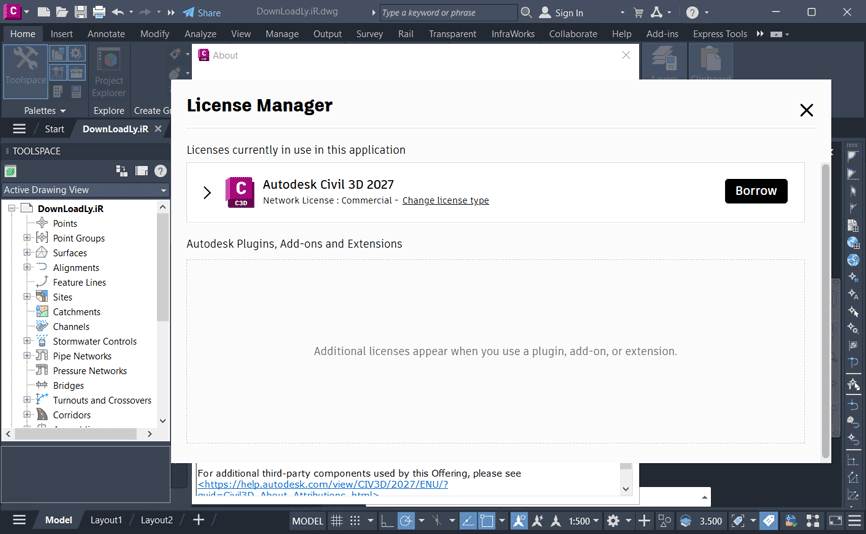
Version 2027 was installed and successfully activated on Windows 10 64-bit edition on October 9, 2026.
2021 version:
It is not possible to install this version directly from the iso file. To install, extract the iso file with winrar on your desktop and install from there.
Version 2024 has been installed and successfully activated on 2 June 2023 in Windows 10 64-bit edition.
Civil 3D 2025 x64 Crack tutorial
Version 2027:
Disable your antivirus, then proceed with the installation and cracking process.
You must add the following path to your antivirus exclusion list:
C:\Program Files (x86)\Common Files\Autodesk Shared\AdskLicensing\16.1.0.14849\AdskLicensingAgent
Download Links
Autodesk AutoCAD Civil 3D 2027 x64 (Tested)
Download Autodesk AutoCAD Civil 3D 2027.1 Update Only x64
Download Autodesk 2027 Crack Only
Autodesk AutoCAD Civil 3D 2026 x64 (Tested)
Autodesk AutoCAD Civil 3D English 2025 x64
Download Autodesk AutoCAD Civil 3D 2025.2 Update Only x64
Download Autodesk Civil 3D 2025 x64 new Crack
Download Autodesk_Civil_3d_2025_French_content
Download Autodesk License Patcher ALL 2024 V3 (New Crack)
Civil 3D Addon for Autodesk AutoCAD 2024.0.1 x64
Download Autodesk License Patcher ALL V2 2022.06.06
Autodesk Civil 3D 2022 x64
Download Autodesk License Patcher Ultimate V5 for 2020 to 2022
File password (s): www.downloadly.ir
Size
6.27 GB
34 Comments. Leave new
Can you please add crack only for 2027 product.
Hi
Added
Someone with expertise, please help us solve this license error problem. We all know the current situation, guys. Nowadays, almost all engineering tasks depend heavily on Autodesk software, so this issue is directly affecting our work and ongoing projects.
Hi
Tested with no problem
i followed all the steps but i’m still getting Network License Not Available and shows some error code
Hi
New Crack Added
help help … civil 3d 2026 x64
i did everything well at last this message appear (Server start failed. Please check debug log or event log for more details) ” mean server not run successfully”
Hi
Hi, restart your system, just make sure in LMTOOLS Utility (C:\Autodesk\Network License Manager), in “Config services” tab you have checked both “Use Services” and “Start Server at Power Up”; now this time (after booting up your system) you can stop and then start the server (from “Start/Stop/Reread” tab), also note that you have to press the “Reread the License File” button now. If you didn’t encounter any error during this process, continue with the ReadMe.txt file (inside the crack folder) (follow from this line: “in ‘server status’ click ‘perform status enquiry’”).
Pls help
Feature Code for “InfoDrainage 2025.0”
found at
http://dds.autodesk.com/NetSWDLD/ODIS/prd/2025/INFDU/6399289A-C766-3DFB-89D3-133B09248C4D/SFX/InfoDrainage_Ultimate_Win_64bit_2025_0_0_dlm_001_002.exe
http://dds.autodesk.com/NetSWDLD/ODIS/prd/2025/INFDU/6399289A-C766-3DFB-89D3-133B09248C4D/SFX/InfoDrainage_Ultimate_Win_64bit_2025_0_0_dlm_002_002.7z
Hi,
I am trying to install the product. However, when the installation window pops up it automatically closes. Is there any way to fix that?
Hi
Extract the iso file. delete all files and folders related to the program. delete everything in this folder: %localappdata%/temp
Hi, I am rrying to install Civil 3D 2025, but I get installation error 1603. Could please help me solve this, I have tried several things and have not worked yet. I had the same errors by installing previous versions as well.
I appreciate your support!
Causes:
The previous version of the Autodesk Interoperability Engine Manager failed to be uninstalled because the adsk_hive_host.exe is still running.
Solution:
Open Task Manager > Details and terminate adsk_hive_host.exe process
Download and run the Microsoft Fix-it Tool and uninstall all instances of the Autodesk Interoperability Engine Manager
Open the Registry Editor (REGEDIT), search and delete the keys related to Autodesk Interoperability Engine Manager in
HKEY_CURRENT_USER\SOFTWARE\Autodesk
HKEY_LOCAL_MACHINE\SOFTWARE\Autodesk
HKEY_LOCAL_MACHINE\SOFTWARE\Autodesk\UPI2
Reboot the computer and install the Autodesk software again.
Hi i was test on windows 11
Hi
uninstall previous version completely. delete any folder related to autodesk(inside ‘Program Files’, ‘ProgramData’,..) . Clear the ‘%temp%’ folder and the ‘%localappdata%\autodesk\ODIS’ folder.
it not to easy with the geolocation
How to download grading optimization civil 3d 2024 addon for civil 3d 2024?
Hi
We have not it
I can’t download the civil 3d 2019 version, I hope downloadlynet admin will update the download link again. Thanks
Hi
Download from this torrent:
magnet:?xt=urn:btih:3C83C2D3DFE06E26A0CC7307DA18D5F245AC4F29
Please give me the civil 2019.3 update
Not available
Civil 3D Storm and Sanitary Analysis was not installed but Metric and Imperial work correctly. How do I get SSA now ?
I downloaded the 2022 version.
I didn’t understand. When you open civil 3d and try to open SSA do you get a message that it is not installed? SSA can only run inside civil 3d…
Hi. Storm and Sanitary analysis – SSA is not installed with the Civil 3D 2023 installer. How can we get it installed? when you click the SSA link under the analysis tab, it says SSA is not found on your machine.
SSA you can download it by update with an educational account that civil 3d 23 is already get it in
The civil 3d 2021 is successfully activated, But when running a dynamo script it gives invalid license. Is there a solution that the active license includes running dynamo without problems?
There is no another solution currently
can you please make available productivity pack 2 for civil 3d available?
not available
PROJECT EXPLORER isn’t include in UPDATE 2021.1. WHERE COULD I FIND IT? PLEASE
Insert disk 1 in the installation
Extract to a folder and install
Otherwise mount iso file and install
https://www.youtube.com/watch?v=mJk_E5v9Dmk&ab_channel=TulioSantos
Activate subtitles