

Description
DaVinci Resolve Mastery: The Ultimate Video Editing Bootcamp is a professional video editing course in DaVinci Resolve software . This software, a free tool, but a professional is by professionals or beginners to professional editing video files used and powerful tool for content producers high-quality gives . This course for beginners is made, and no experience previous of DaVinci Resolve 17 or video editing does not require and is also fully functional and drill the axle out. in fact, from the beginning of the start of the period, making the first video and come out for music, graphics, text and number effects, relocation, want to pay, and thus from wasting time on learning the concepts in vain to prevent it .
This course is designed step by step . From the most basic work, i.e. importing video clips to advanced editing, such as color correction and grading, is taught in this course . Understand the process of working in DaVinci Resolve, etc. different methods of collecting movies, such as inserts and swaps, edit the exact clips in the scale frame by frame, etc. increase or decrease the speed, dominate the effects of the relocation and construction of new effects, add shapes, graphics, etc. texts, titles and deeds, and personal effects from ResolveFX only part of the topics of this course are . By mastering this software, you can work on your personal, such as editing the family album for a professional to do, or that, for the purposes of working such as video editing for YouTube channel, etc. making a music video or hire as editor a movie the necessary skills to earn .
What things to learn
Use DaVinci Resolve to edit video files – from introductory to advanced
Add OpenFX effects to video
Add animated graphics shapes to video
Correct use of Curves Qualifiers power for windows etc
Nakamil a comprehensive project from beginning to end
And …
This training suits people who
People who focus on learning the skill of editing video files
Beginners in DaVinci Resolve 17 or in video editing and color grading
Intermediate or professional editors who want to use DaVinci Resolve to edit video or color scheme
People who are particularly focused on learning color grading such as color correction in video editing
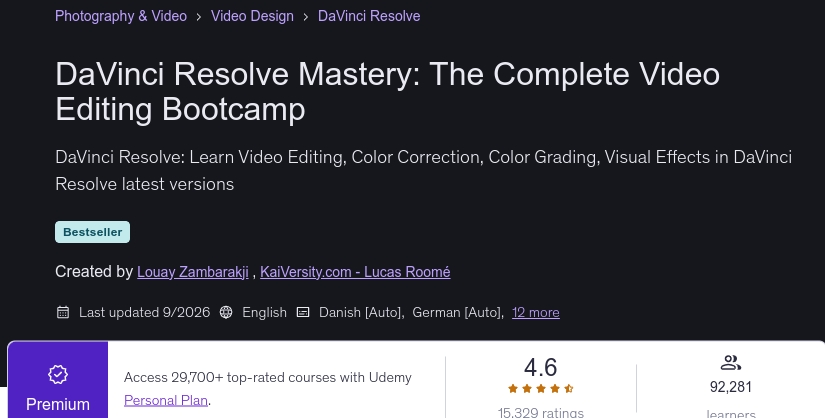
Profile DaVinci Resolve Mastery: The Ultimate Video Editing Bootcamp
- Publisher : Udemy
- Teacher : Louay Zambarakji , KaiVersity.com – Lucas Roomé
- Language: English
- Level : All Levels
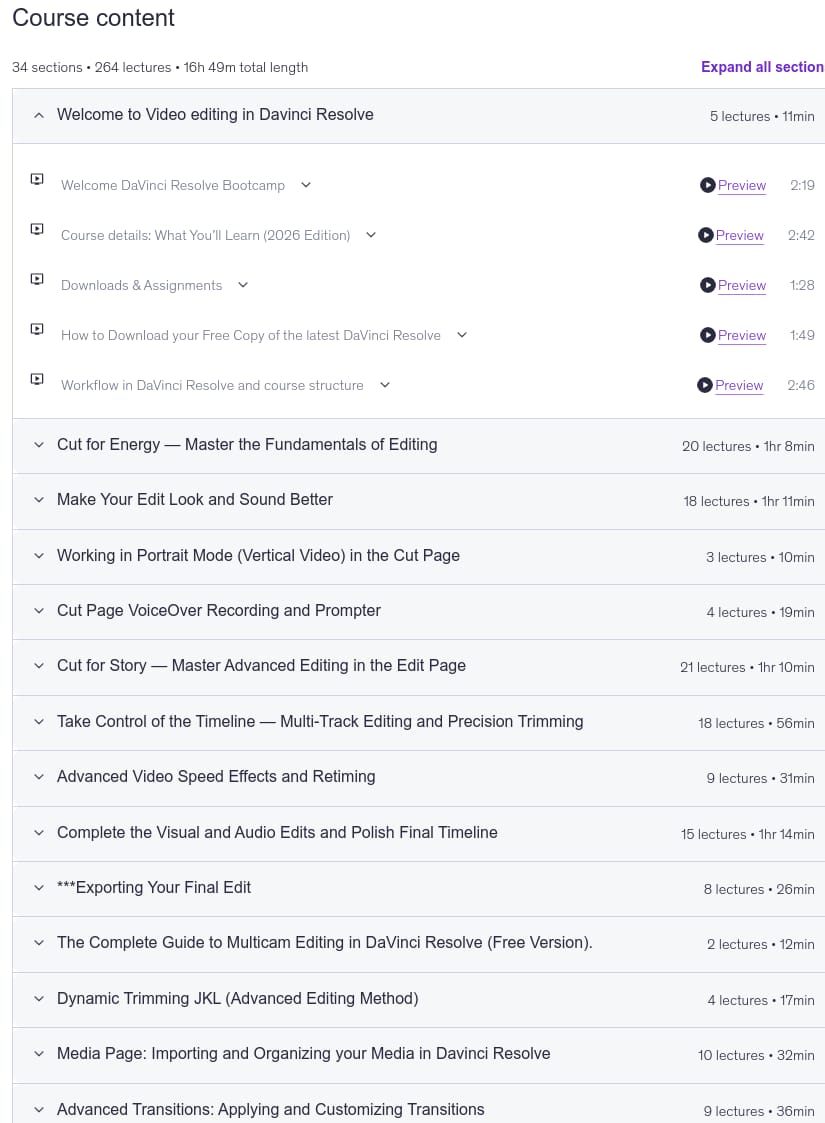
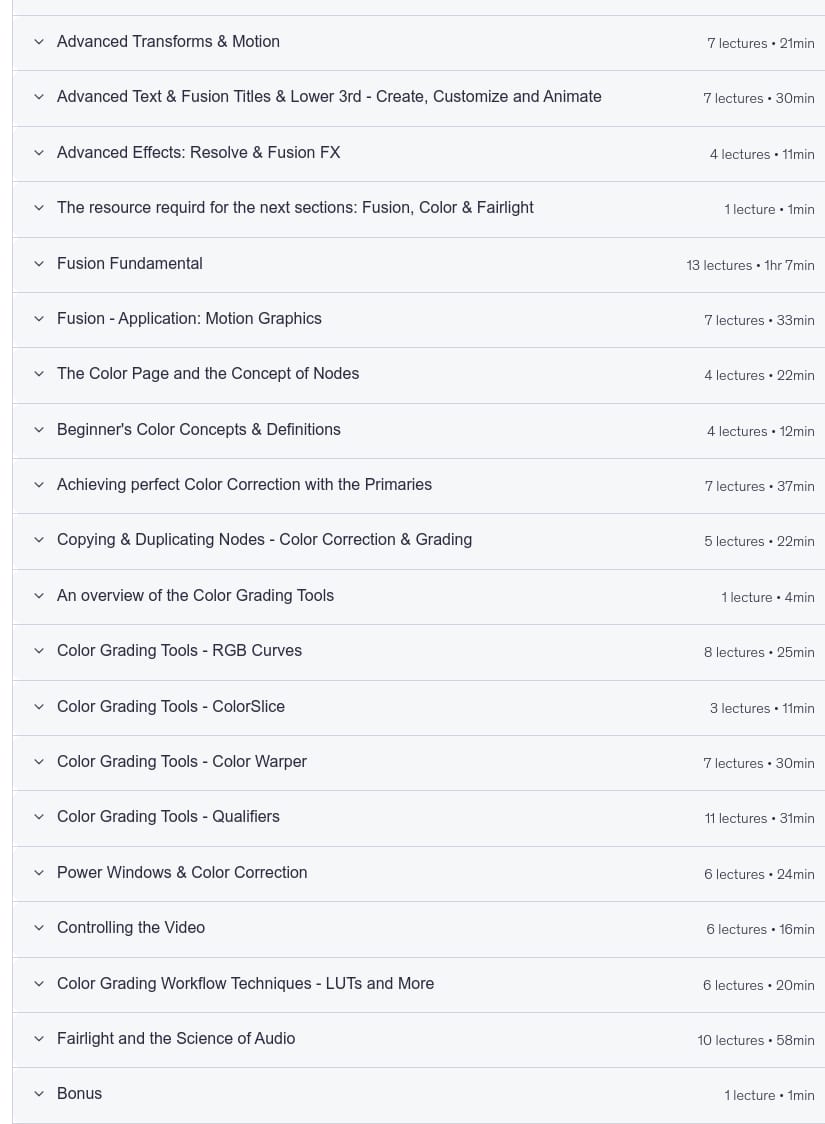
- Lectures : 264
- Duration : 16 hours and 49 minutes
Head seasons
Prerequisites
- DaVinci Resolve 17 is a Free Software. I’ll show you how to download and Install your copy.
- DaVinci Resolve 17 will require Windows 10
- No Prior knowledge in DaVinci Resolve required
- No prior knowledge in Video Editing, Color Correction and Grading, Visual Effects or Motion is required. It\’s all covered in the Course.
- A 1080p (at least) Screen Resolution is highly recommended to work in DaVinci Resolve and to preview the course.
- I will provide you, free of charge, professionally shot videos to create your own project (from video editing to color correction and Grading)
Images
Sample movie
Installation guide
After the Extract with the Player your custom view.
Subtitles: English
Quality: 1080p
Previous title:
Video Editing in DaVinci Resolve 18/17: Beginner to Advanced
Changes:
The 2026/6 version has increased the number of lessons by 2 and the duration increased by 12 minutes compared to 2026/1.
The 2026/9 version has increased the number of lessons by 13 and the duration increased by 48 minutes compared to 2026/6.
Download link
Password file(s): www.downloadly.ir
File size
17.39 GB
8 Comments. Leave new
Please update this course. It has got many lectures added and replaced with new ones. The author is recreating this course with new version of DaVinci Resolve.
Hi
Updated
Kindly Update the course
Hi
Updated
Can you please update this course to the latest and in 1080p? Thanks in advance!
Hi
Updated with 1080p
can you update this course?
Hi
Updated