

Description
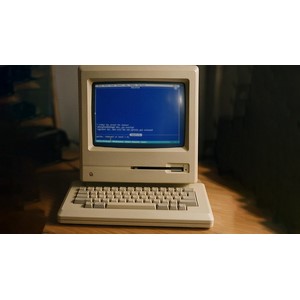
Coding a console graphics library in C. This course teaches programmers how to develop a complete, dedicated console graphics library in C from scratch, with full control over the display and input. In this course, participants (n)curseswill start building a similar library from scratch. Unlike common console functions such as printf()or scanf(), fgets()using a dedicated graphics library allows the programmer to have complete and perfect control over the display. Along the way, learners learn how to navigate in a coordinate system, update individual characters, use foreground and background colors, handle the mouse, and detect keypress events to enable navigation with the arrow keys. A significant portion of the course is dedicated to reading input from the keyboard. Standard C language functions have many limitations; For example, they cannot read special keys such as the arrow keys or backspacedo not allow the use of the key while typing. Also, these functions are activated only when the user has entered the entire line of text and enterpressed the key, and there is no possibility of reacting instantly to the key compression event. In this course, all these limitations are overcome by writing a custom API for key management. The getch()custom function is implemented in such a way that it reacts immediately to each key press, backspacesuccessfully processes the arrow keys and and prevents unwanted printing to the screen. This custom API will then be used to control the cursor on the screen using the arrow keys, which is an excellent basis for building game projects or text editors. In addition, various key functions such as mkfb, mkwin, initlibrary, cputcharand codes ANSIfor precise color and screen management are implemented and developed.
What you will learn
- Handle key and mouse compression events as
real-time - Use codes
ANSIto precisely control colors and the entire screen - Mastery of
pointers,structuresand other advanced capabilities in the programming languageC - How to structure your project properly when developing a library for use by other developers
This course is suitable for people who:
- Intermediate language programmers
Cwho want to take the next step and write a graphics library - Those interested in learning system programming and developing low-level tools
- Developers seeking a deeper understanding of memory, data structures, and hardware or terminal management
Course details Coding a console graphics library in C
- Publisher: Udemy
- Lecturer: dr Jonas Birch, C programming ninja
- Training level: Beginner to advanced
- Training duration: 5 hours and 39 minutes
- Number of lessons: 7
Course syllabus as of 2026/9

Prerequisites for the Coding a console graphics library in C course
- You need a basic understanding of the C language, the rest you will be taught here.
Course images
Sample course video
Installation Guide
After Extract, view with your favorite player.
Subtitles: None
Quality: 720p
Download link
Rapidgator link
File(s) password: www.downloadly.ir
File size
1.9 GB