


Description
OpenClaw For Beginners Course. This course explores how to install, configure, and deploy the open source OpenClaw framework for building intelligent agents and automating processes. This course provides a comprehensive solution for harnessing the power of AI agents. OpenClaw is an open source framework for AI agents designed to automate tasks, connect to popular applications, and run intelligent workflows. This course walks beginners, developers, AI enthusiasts, and automation professionals through everything from installation to building their first AI-powered assistant. Unlike traditional chatbots that only respond to prompts, AI agents have the ability to remember context, perform actions, connect to external services, and automate complex processes. During this practical course, in addition to understanding how OpenClaw works, learners will learn how to deploy and manage their AI agent on a local system or virtual private server (VPS). The training begins by reviewing the basic concepts of AI agents, their differences from chatbots, and the capabilities of the OpenClaw platform. Then, the steps for installing OpenClaw on Windows and macOS operating systems, the essential concepts of terminal and SSH, deployment on a VPS, setting up API keys, and managing API costs are explained in a completely practical way. After preparing the working environment, how to interact with the AI agent, the structure of conversations, the role of memory in smarter interactions, and configuring the agent for different tasks are examined. It will also teach you how to transfer files between a computer and a VPS, use the OpenClaw Gateway, and manage the dashboard. Next, it will examine how to connect OpenClaw to Telegram and other communication channels so that the agent can operate on different platforms. Finally, the OpenClaw skills system, agent capability development methods, secure automation best practices, and installing the first skill for the AI agent are taught so that learners can implement their own intelligent projects.
What you will learn
- Understanding AI Agents: A thorough understanding of AI agents and their key differences from traditional chatbots.
- OpenClaw Installation and Deployment: Learn how to install and configure OpenClaw on Windows, macOS, and VPS operating systems.
- Server and Terminal Administration: Learn the basics of working with the terminal, SSH, and managing remote servers.
- API and cost management: Set up API keys and understand your spending patterns to manage your budget optimally.
- Configuration and customization: Set up and customize the OpenClaw agent to perform various tasks.
- Managing Memory and Conversations: Understanding how memory works to maintain the context of conversations and smarter interactions.
- File Transfer and Dashboard Management: Manage files between your computer and VPS using OpenClaw Gateway and the management dashboard.
- Connecting to communication channels: OpenClaw integration with Telegram and other communication tools.
- Skills Management: Install and manage new skills to enhance the AI agent’s capabilities.
- Developing secure automation: Building intelligent, safe, and reliable agents to perform real-world tasks.
This course is suitable for people who:
- Automation and AI enthusiasts: Anyone interested in learning about AI agents and the OpenClaw platform.
- Developers and IT professionals: Programmers and technology experts who want to build intelligent automation systems.
- Students and beginners: People who want to start learning AI and command line tools from scratch.
- Smart assistant builders: Anyone who wants to create personalized smart assistants to do real things.
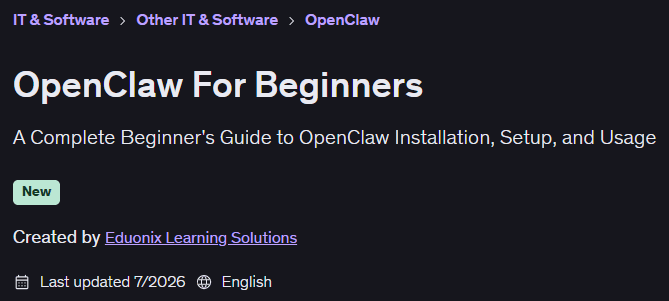
OpenClaw For Beginners Course Specifications
- Publisher: Udemy
- Instructor: Eduonix Learning Solutions
- Training level: Beginner to advanced
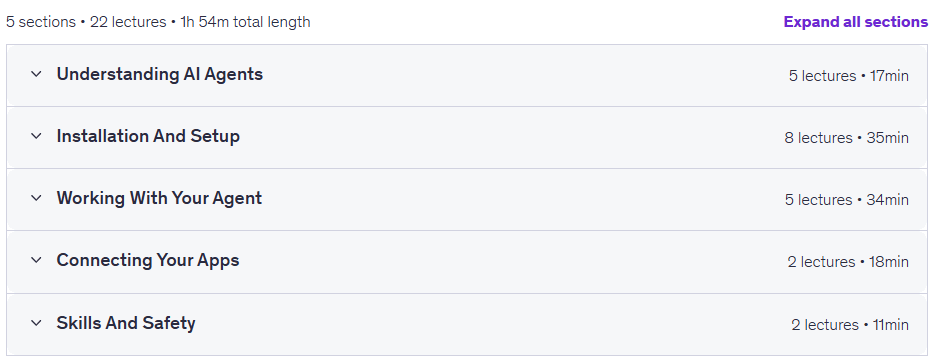
- Training duration: 1 hour and 54 minutes
- Number of lessons: 22
Course headings
OpenClaw For Beginners Course Prerequisites
- No programming experience is required. A computer, internet connection, and willingness to learn AI agents, terminals, and basic command-line concepts are enough.
Course images
Sample course video
Installation Guide
After Extract, view with your favorite player.
Subtitles: None
Quality: 1080p
Download link
Rapidgator link
File(s) password: www.downloadly.ir
File size
981 MB