


Description
Linux Basics: Your First Steps into Linux. This course covers the basics of the Linux operating system, working with the command line, managing files and users, and preparing you for the world of cybersecurity and IT. The Linux Basics course is a practical and suitable training for beginners who want to develop their technical and practical skills or build a strong foundation in the Linux operating system. This course is designed for anyone who wants to learn new things and does not require any prior knowledge of Linux. During this course, learners will be introduced to core concepts such as navigating the Linux operating system, working with files and folders, managing users and permissions, installing and managing software, searching for files and information, working with text, and understanding running processes and services. In addition, topics such as task scheduling, managing USB devices, wireless connections, and other Linux application concepts are thoroughly reviewed. By the end of this course, participants will have a solid foundation in Linux and will gain more confidence to continue learning more advanced topics in the fields of system administration, cybersecurity, ethical hacking, and information technology (IT). The outstanding feature of this course is its simplicity and fluidity; so that even a beginner-level student can understand and practice its concepts. The only requirements for learners are patience, an open mind, and constant practice, as constant practice is the key to learning technical concepts. In addition, the course helps individuals learn how to use the Linux command line to analyze networks and manage infrastructure. Working with package management tools, network configuration, and troubleshooting connections are other important parts of this training. This course paves the way for those who want to enter the field of cybersecurity and hacking and familiarizes them with the necessary tools and commands. By mastering these basic concepts, learners can easily use different distributions such as Kali Linux or Ubuntu in real-world environments.
What you will learn
- Understanding Linux Basics: Familiarity with the fundamentals of the Linux operating system and its role in cybersecurity.
- Navigating the file system: Using command-line tools to navigate through Linux folders and files.
- File and Permission Management: Effective management of files, directories, and permissions.
- User and group management: Create and manage user accounts, groups, and access controls.
- Using Essential Commands: Using useful Linux commands for system administration and troubleshooting.
- Process and service monitoring: Monitor running processes and manage system services.
- Network configuration and troubleshooting: Basic network settings and troubleshooting network connections in Linux.
- Software Management: Install, update, and manage software packages using the package manager.
- Improve command line skills: Build a strong command line foundation to use advanced security and hacking tools.
- Command-line network analysis: Analyze and examine networks using Linux command-line commands.
This course is suitable for people who:
- Beginners: Those who want to learn Linux from scratch without any prior experience.
- Ethical Hacking Enthusiasts: People looking to build a strong foundation in Linux to get into penetration testing.
- Cybersecurity students: Individuals preparing to work in defensive or offensive security sectors.
- IT Professionals: Experts looking to improve their Linux command line and system administration skills.
- Network and system administrators: People who are interested in working in Linux-based environments.
- Security activists: Participants in Capture The Flag (CTF) competitions and bug bounty hunters.
- Computer Science Students: Individuals seeking to enhance their technical knowledge in the field of information technology.
- Tech Enthusiasts: Anyone who wants to understand the role of Linux in cybersecurity and real-world IT environments.
Course details for Linux Basics: Your First Steps into Linux
- Publisher: Udemy
- Instructor: Munashe Mada
- Training level: Beginner to advanced
- Training duration: 5 hours and 19 minutes
- Number of lessons: 21
Course headings
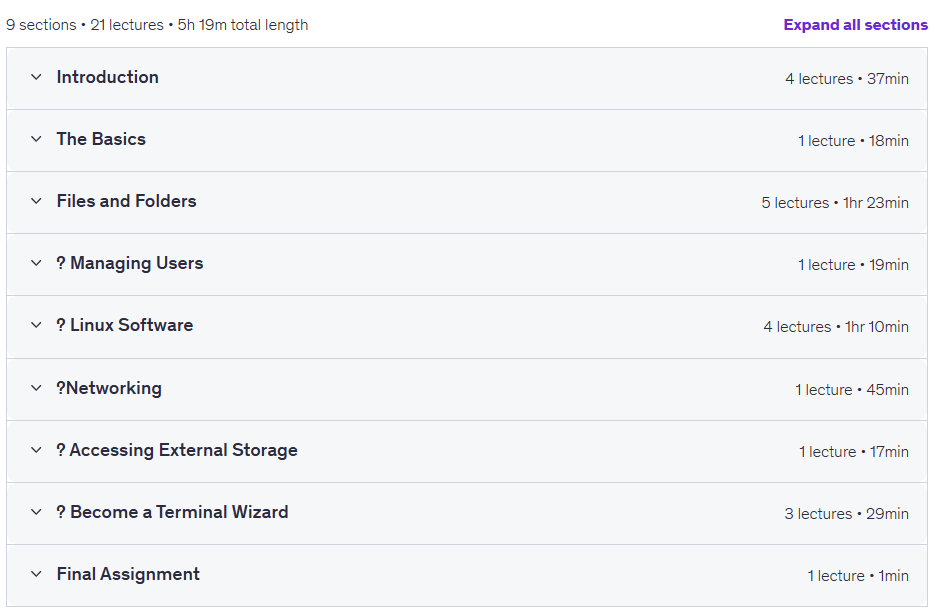
Prerequisites for the Linux Basics: Your First Steps into Linux course
- A positive attitude and eagerness to learn Linux from a cybersecurity and ethical hacking perspective.
- Basic computer skills, such as using a keyboard, mouse, and navigating files and folders.
- A Windows, macOS, or Linux computer with at least 4 GB of RAM (8 GB recommended).
- Internet access to download software and course resources.
- Willingness to install a Linux distribution (such as Kali Linux or Ubuntu) or use a virtual machine like VirtualBox or VMware.
- No prior Linux experience is required—this course is designed for complete beginners.
- No programming or scripting experience is required
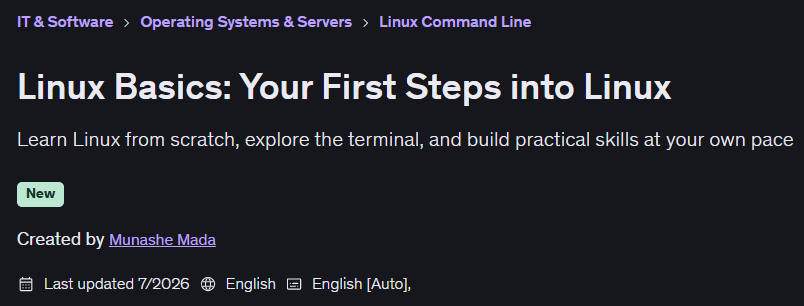
Course images
Sample course video
Installation Guide
After Extract, view with your favorite player.
Subtitles: None
Quality: 1080p
Download link
Rapidgator link
File(s) password: www.downloadly.ir
File size
2.9 GB