


Description
MCP: Model Context Protocol Server Development in TypeScript. Programmers and developers typically learn how to use AI tools, but the real value comes when they expose their business data and internal systems to AI models in a standardized way. This course focuses on building and developing MCP servers, teaching all the concepts through hands-on exercises in the browser without the need for complex environment setup or API keys. Course topics include tools, resources, commands, remote connectivity, authentication without external libraries, and defense against prompt injection. At the end, participants implement and evaluate a real project.
What you will learn
-
Custom development and construction of MCP servers using TypeScript and principles of standardization of tools and resources
-
Implementing error handling, sending progress notifications, and sending logs in AI data structures
-
Working with URI patterns, binary data, subscription notifications, and passing commands with arguments
-
Implement security and authentication including custom JWT tokens, source validation, and authentication without dependencies on external libraries
-
Develop custom clients, manage background jobs, and publish packages to the npm repository
This course is suitable for people who:
-
Developers who want to connect their business data and internal systems to AI models
-
Programmers looking to learn the standard MCP protocol structure and develop related servers
-
People who prefer to learn new skills through hands-on exercises and coding challenges rather than just watching videos
MCP Course Details: Model Context Protocol Server Development in TypeScript
- Publisher: Udemy
- Instructor: M Sakai
- Training level: Beginner to advanced
- Training duration: 8 hours and 18 minutes
- Number of lessons: 104
Course topics
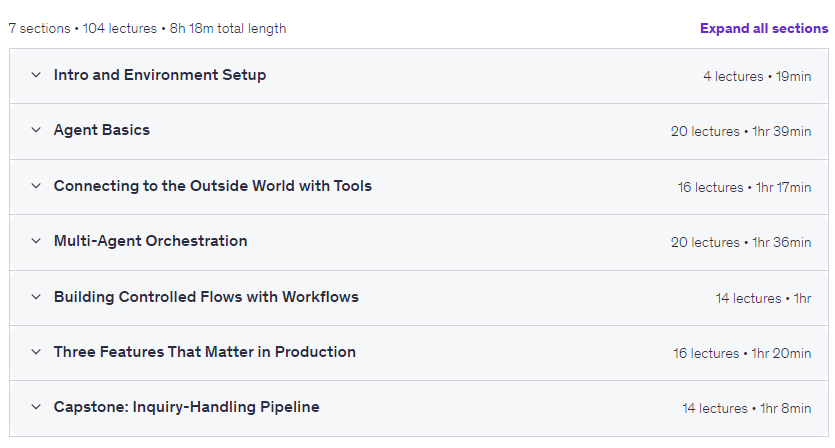
Prerequisites for the MCP: Model Context Protocol Server Development in TypeScript course
- Basic Python syntax — variables, functions, classes, enough to read imports and decorators. No async experience needed; Section 0 covers MAF’s conventions.
- A PC with internet and a modern browser (Chrome recommended) is all you need. The course uses CodeSandbox, so no Python installation or setup is required.
- Ability to get one Gemini API key from Google AI Studio (free tier, no credit card needed — Section 0 walks through the steps).
- No Azure subscription required. Although this is a Microsoft framework, the course is designed so the free Gemini tier alone gets you through.
Course images
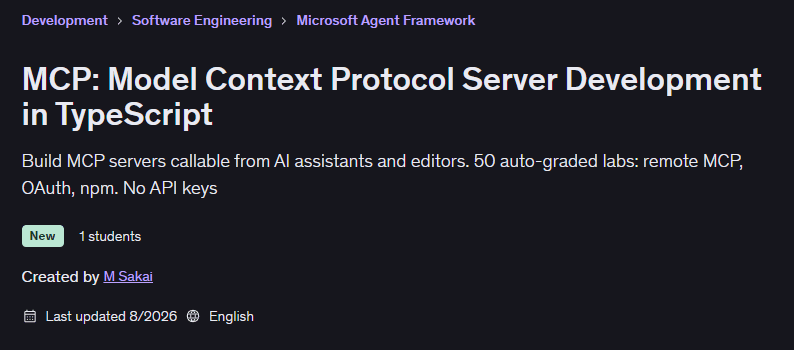
Sample course video
Installation Guide
After Extract, view with your favorite player.
Subtitles: None
Quality: 720p
Download link
Rapidgator link
File(s) password: www.downloadly.ir
File size
1.4 GB