

Description
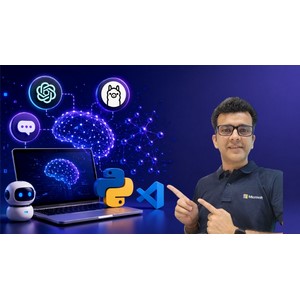
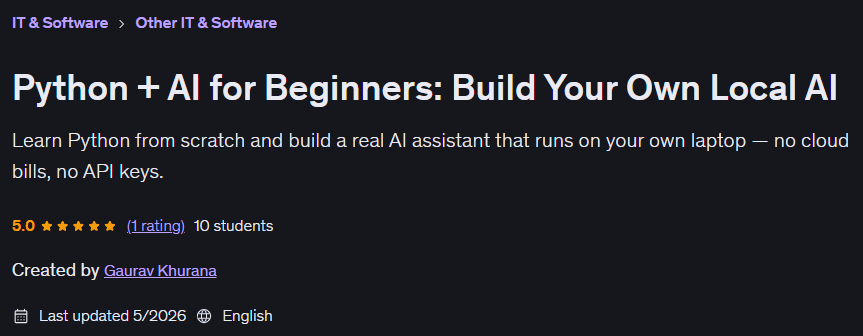
Python + AI for Beginners: Build Your Own Local AI. This course explores how to program in Python and build an intelligent AI assistant on your own system with tools like LM Studio. This course is designed to be completely hands-on and beginner-level so that people, without any prior experience in Python coding, can build an AI assistant with multiple personalities, all of whose processing is run entirely on their own laptop using the LM Studio tool. In this learning path, there is no need to purchase an API Key, pay a fee, have a credit card, or worry about usage rate limits during the learning process. All tools and models used are provided to learners for free and Open Source. The distinctive feature of this course is its focus on building real projects instead of just watching videos. For each training topic, two Python code files are provided, including a short demo file for practicing with the instructor and a comprehensive file with detailed explanations for deeper learning. During the course, no complex frameworks are introduced into the training process without prior need, and the focus is only on pure Python and the OpenAI SDK. By completing the Test Catalog project, Bug Report Generator, Risk and Quality Assessment Agent, and AI Personal Assistant, students will create a valuable and professional portfolio to present in the job market, while simultaneously improving their coding skills with the GitHub Copilot tool.
What you will learn
- Setting up a professional environment: Configuring a Python project using the venv virtual environment, .env and .gitignore files.
- Running Large Language Models (LLM): Run models directly on your personal laptop with LM Studio and Ollama without the need for a fee or API key.
- Communicating with models: Sending first API requests from Python to LLM using the OpenAI SDK.
- Building advanced chatbots: Designing multi-stage chatbots with memory to store message history, system prompts, and various characters.
- Migration to cloud services: Use code written to connect to cloud providers like OpenRouter if needed.
- Faster coding: Increase programming speed by up to 5x using GitHub Copilot.
- Development of application projects: building a personal life management assistant, bug reporting tool, QA Agent system, and error assessment assistant with persistent memory.
This course is suitable for people who:
- Absolute Beginners: People looking for a simple, comprehensive, and engaging entry point to learn Python and AI in one course.
- Quality Assurance Testers and Engineers (QA/SDET): Professionals looking to add Python and AI skills to their toolkit.
- Developers and Programmers: Software professionals who want to quickly learn how to work with Local Language Models (LLMs).
- AI enthusiasts: Anyone who doesn’t want to pay thousands of dollars for cloud APIs during the learning process.
Course details Python + AI for Beginners: Build Your Own Local AI
- Publisher: Udemy
- Instructor: Gaurav Khurana
- Training level: Beginner to advanced
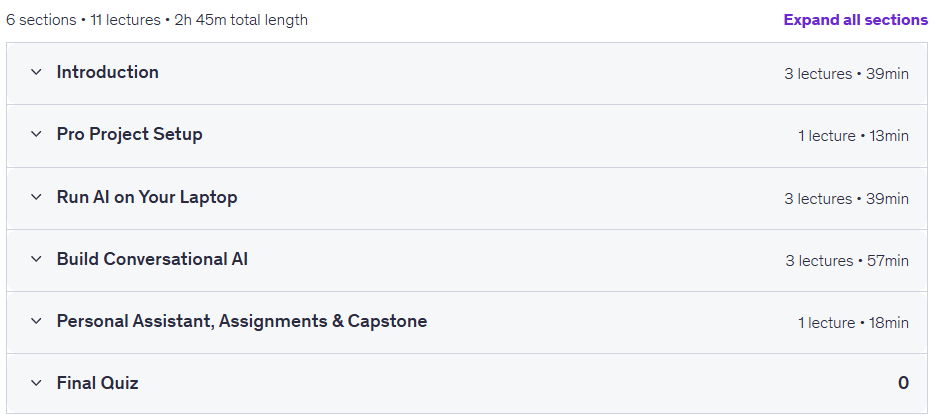
- Training duration: 2 hours and 45 minutes
- Number of lessons: 11
Course headings
Prerequisites for the Python + AI for Beginners: Build Your Own Local AI course
- No prior programming experience needed — Python basics are taught from scratch.
- A Windows, macOS, or Linux laptop with 8 GB RAM minimum (16 GB recommended) and ~5 GB free disk.
- Free tools you’ll install during the course: Python 3.11+, VS Code, and LM Studio/Ollama. No paid accounts required.
Course images
Sample course video
Installation Guide
After Extract, view with your favorite player.
Subtitles: None
Quality: 1080p
Download link
Rapidgator link
File(s) password: www.downloadly.ir
File size
3.3 GB