


Description
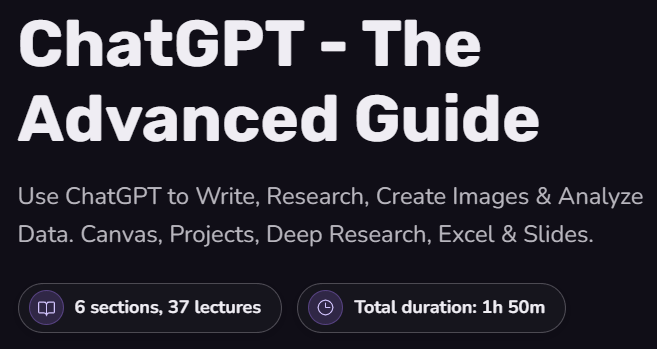
ChatGPT – The Advanced Guide. This course teaches you how to use ChatGPT as a comprehensive AI workspace for writing, advanced research, image production and editing, data analysis, and creating Excel and Slides files. The ChatGPT platform is no longer just a place to type a command and get a simple answer, but has become a complete AI workspace for writing, research, image production, file management, data analysis, working with text tables, and slide presentations. This course shows you how to go beyond simple scripting and use ChatGPT to produce final, fully functional outputs; outputs such as reusable documents, referenced and documented research reports, edited images, refined datasets, charts, and outputs ready for formal presentations. The goal of this course is not to memorize a list of software keys or buttons. Instead, learners learn how each tool works, when to use it, and how to create practical workflows to save time on real, everyday tasks. This training bridges the gap between simple prompts and professional use of ChatGPT’s full potential.
What you will learn
- Understanding ChatGPT as an AI workspace:
- Understand the differences between modern ChatGPT and early simple chatbots.
- Familiarity with the Add Files menu, select models, Instant, Thinking, and Pro modes.
- Personalization settings, system memory, and privacy controls.
- Using Canvas for reusable writing processes:
- Edit long texts side by side.
- Rewriting and revising specific sections rather than reproducing the entire text.
- Tracking different versions of text, translating content, and localizing documents for different audiences.
- Organize repetitive tasks with Projects and connected apps:
- Create projects that preserve the context, sources, tone, and previous conversations.
- Connect ChatGPT to tools like Google Drive, Gmail, and Slack.
- Research with Web Search and Deep Research:
- Using a quick web search to find up-to-date facts.
- Use Deep Research to create in-depth reports based on reliable sources.
- Driving research quality with better control of sources and complementary analyses.
- Producing and editing professional images:
- Create images directly in ChatGPT and edit specific parts of the image.
- Generate visual designs from files or screenshots.
- Transform live web data into charts, infographics, and advertising assets.
- Data analysis and creation of final outputs:
- Extracting data from the web, refining heterogeneous tables, and validating KPIs.
- Draw charts and convert raw data into reports, Excel tables, and presentation-ready slides.
This course is suitable for people who:
- Knowledge and executive professionals and activists: People who deal with documents, spreadsheets, presentation files, emails, and internal communications on a daily basis and want ChatGPT to produce tangible and real outputs for them.
- Marketers, analysts, and content producers: Professionals who research various topics, produce visuals, and analyze business data, and tend to quickly transform information into infographics, charts, and reports.
- Professionals curious beyond simple chat: People who have experience using ChatGPT for simple commands but know that the tool has much more capabilities and are looking for a practical guide to using its full potential.
ChatGPT Course Details – The Advanced Guide
- Publisher: Academind
- Instructor: Academind
- Training level: Beginner to advanced
- Training duration: 1 hour and 51 minutes
- Number of lessons: 37
Course headings
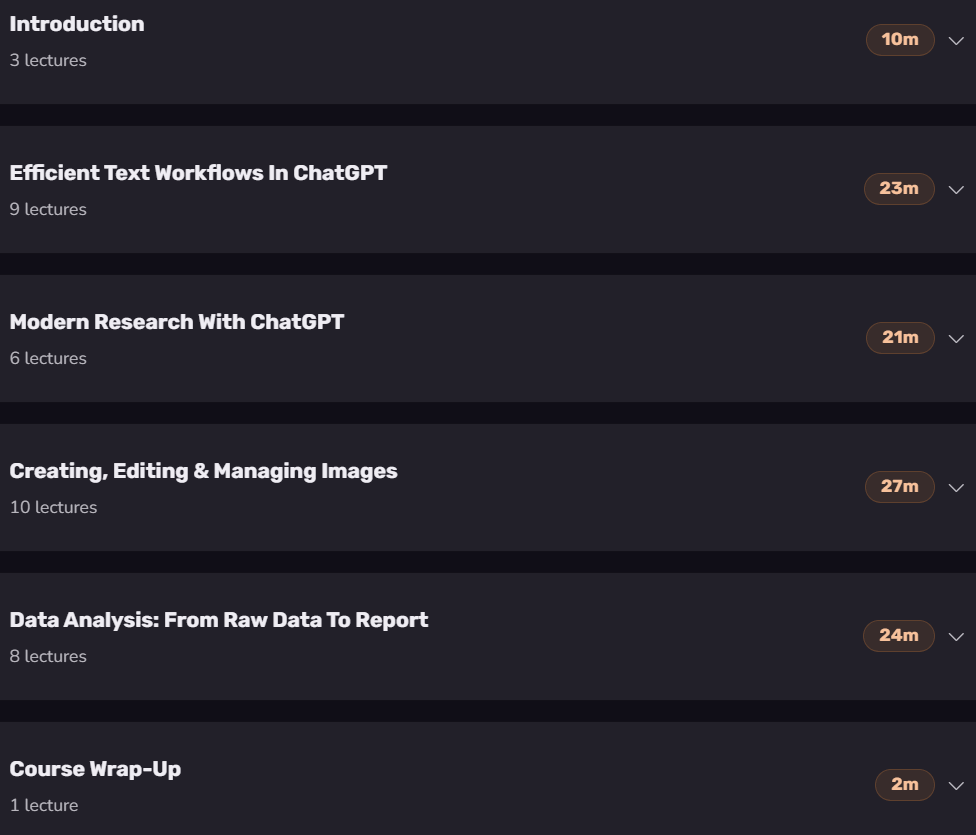
Prerequisites for ChatGPT – The Advanced Guide course
- Basic familiarity with ChatGPT or another AI chatbot. You should already know how to type a prompt and get a reply.
- A ChatGPT account. To follow along with every feature shown in the course, a ChatGPT Plus plan is recommended.
- No programming or advanced technical expertise is required. Basic computer skills are enough to follow along.
Course images
Sample course video
Installation Guide
After Extract, view with your favorite player.
Subtitles: None
Quality: 1080p
Download link
Rapidgator link
File(s) password: www.downloadly.ir
File size
337 MB